kRO unpacked clients releases

Status
Not open for further replies.
Define 'error' please..


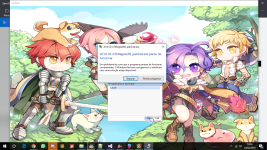
The game screen opens Nomal, but when I go to login screen, the game give error
 
<?xml version="1.0" encoding="euc-kr" ?>
<clientinfo>
<desc>Ragnarok Client Information</desc>
<servicetype>korea</servicetype>
<servertype>primary</servertype>
<connection>
<display>Local</display>
<address>127.0.0.1</address>
<port>9500</port>
<langtype>12</langtype>
<registrationweb>www.ragnarok.com.br</registrationweb>
<loading>
<image>loading00.jpg</image>
<image>loading01.jpg</image>
<image>loading02.jpg</image>
<image>loading03.jpg</image>
<image>loading04.jpg</image>
<image>loading05.jpg</image>
<image>loading06.jpg</image>
</loading>
<aid>
<admin>2000000</admin>
</aid>
</connection>
</clientinfo>


Sem título.png

@Edit 

using langtype 1 or 0 the login screen works. not work with 12

 
Last edited by a moderator:
 
The game screen opens Nomal, but when I go to login screen, the game give error
[...]


@Edit 

using langtype 1 or 0 the login screen works. not work with 12
the issues related to changing the langtype or service type are all missing resources.. for example in langtype 12 there is some icon that the client display and it doesnt exist in kRO Grf you need to import it from bRO files

----

Side note to everyone: Please if you're going to post about an issue make sure its not repeated before.. also for love of the gods don't disable debugging messages in the client via patches then complain its not working magically...

@EDIT also please stop sending me issues in private messages, i am no longer going to answer anyone.

 
Last edited by a moderator:
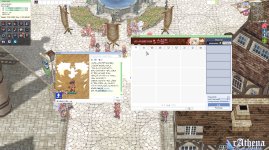
Firstly thank you very much for more one release!  :blush:

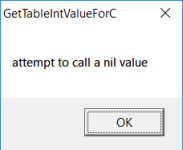
With 2018-02-07b, I'm having this error:

zzzz.png

GetTableBookValueForC, GetTableStringValueForC too.
And the client stops to work later.
Using langtype 12.

I already tried merge bRO folder but it didn't work too.

And with 2018-01-24b, I'm having the same error and the error from the iteminfo too (8th argment...), even using your iteminfo @Asheraf

Using langtype 0, the client 2018-02-07b works perfectly.

I would like to know how you @Asheraf did this works with langtype 12  :cold_sweat:

 
Last edited by a moderator:
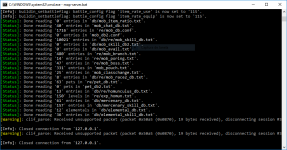
Firstly thank you very much for more one release!  :blush:

With 2018-02-07b, I'm having this error:
And the client stops to work later.
Using langtype 12.

I already tried merge bRO folder but it didn't work too.

And with 2018-01-24b, I'm having the same error and the error from the iteminfo too (8th argment...), even using your iteminfo @Asheraf

Using langtype 0, the client 2018-02-07b works perfectly.

I would like to know how you @Asheraf did this works with langtype 12  :cold_sweat:


1 - about itemInfo and 2018-01-24b, my repository only supports the latest client available and since the function changed in the more recent version its the only one supported, you can revert to an older version to use it or just replace the two functions in the end of the file with the old ones.

2 - about langtype 12:

*  in sclientinfo.xml set the following:

<servicetype>brazil</servicetype>
<servertype>primary</servertype>
<connection>
<langtype>12</langtype>
</connection>


then go to "data/luafiles514/lua files/service_korea/externalsettings_kr.lub" move it to "data/luafiles514/lua files/service_brazil/externalsettings_br.lub"

(also better search for files with kr/korea in the name and replace it with br/brazil)

 
1 - about itemInfo and 2018-01-24b, my repository only supports the latest client available and since the function changed in the more recent version its the only one supported, you can revert to an older version to use it or just replace the two functions in the end of the file with the old ones.

2 - about langtype 12:

*  in sclientinfo.xml set the following:

<servicetype>brazil</servicetype>
<servertype>primary</servertype>
<connection>
<langtype>12</langtype>
</connection>


then go to "data/luafiles514/lua files/service_korea/externalsettings_kr.lub" move it to "data/luafiles514/lua files/service_brazil/externalsettings_br.lub"

(also better search for files with kr/korea in the name and replace it with br/brazil)
Thank you very much  :blush:

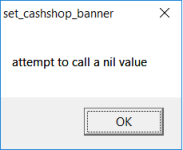
Now I'm getting this error when clicking in the Cash Shop icon:

zzzz.png

I was using the cashshop folder from the ROZero.
Now I tried with the kRO's cashshop folder but same error.

:confounded:

And about remove the doram creation, it's impossible for a while, right?
I tried using the last nemo.

 
Last edited by a moderator:
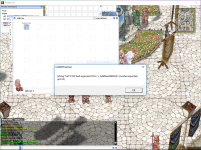
doram can be disabled in externalsettiings.lub or like this. writing name from memory.

 
can some one tell me what my problem is.

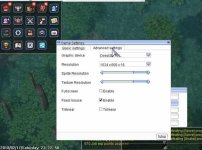
here the detail, when i'm use 2017 client i could open advanced setting and change screen size by setup.exe

2017.jpg
but when i'm use 2018 client, i'm can't open advanced setting and change screen size.

what ever i'm pick in the setup.exe the game client always show 1024x600 (because this is max screen size in my laptop)

2018.jpg
my laptop using windows 7 32 bit.

but when i'm run in my pc with windows 7 64 bit all function in 2018 game client work normal

my KRO already update to the lastest.

so what the problem is. because my friend use same os like my laptop and could open advanced settings too.

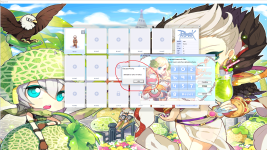
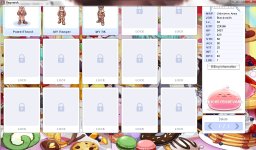
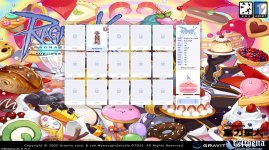
once more, the problem when in char select, 5 top character screen select crop by default

here the ss

new.jpg
here my diff option

3 Chat Flood Remove Limit
6 Force Send Client Hash Packet
9 Disable 1rag1 type parameters (Recommended)
13 Disable Ragexe Filename Check (Recommended)
16 Disable Swear Filter
19 Enable Title Bar Menu
23 Enable /who command (Recommended)
24 Fix Camera Angles (Recommended)
33 Always Call SelectKoreaClientInfo() (Recommended)
34 Enable /showname (Recommended)
35 Read Data Folder First
36 Read msgstringtable.txt (Recommended)
37 Read questid2display.txt (Recommended)
38 Remove Gravity Ads (Recommended)
39 Remove Gravity Logo (Recommended)
40 Restore Login Window (Recommended)
41 Disable Nagle Algorithm (Recommended)
44 Translate Client (Recommended)
46 Use Normal Guild Brackets (Recommended)
47 Use Ragnarok Icon
48 Use Plain Text Descriptions (Recommended)
49 Enable Multiple GRFs (Recommended)
51 Always Show License Screen
53 Use Ascii on All LangTypes (Recommended)
61 Disable Packet Encryption
64 @ Bug Fix (Recommended)
65 Load Custom lua file instead of iteminfo*.lub (Recommended)
71 Ignore Resource Errors
72 Ignore Missing Palette Error
76 Enforce Official Login Background
84 Remove Serial Display (Recommended)
85 Show Cancel To Service Select
86 Only First Login Background
88 Allow space in guild name
90 Enable DNS Support (Recommended)
91 Disconnect to Login Window
96 Remove GM Sprites
97 Cancel to Login Window (Recommended)
104 Increase Hair Style & Color Limits
115 Enable Effect for all Maps [Experimental]
205 Enable Monster Tables
208 Restore Cash Shop Icon
212 Restore Roulette
213 Disable Help Message on Login (Recommended)
215 Increase Map Quality
222 Show Replay Button
223 Move Item Count Upwards [Experimental]
225 Show Register Button
238 Always Load Client Plugins [Experimental]

 
Last edited by a moderator:
I diffed a client 2018-02-07bRagexeRE, but I can't connect my server... It's like it don't connect using my clientinfo. I tried to remove the "register" option of client login screen using NEMO and it is still there. I'm confuse.

View attachment 4527

//FIXED
I selected the option custom clientinfo (obvious a lot) 

now I'm getting this error in map-server after select character screen =/

error.PNG

 
Last edited by a moderator:
for clientinfo, use default one sclientinfo.xml

you built server with wrong packet version or disabled/changed encryption keys in client.

 
for clientinfo, use default one sclientinfo.xml

you built server with wrong packet version or disabled/changed encryption keys in client.
Oh, you're right! The encryption was disabled. Thank you, bro. Works fine now! <3

@EDIT 

I'm really not lucky... Some light?

INITSKILLTREEEVIEW.PNG

//FIXED

I change the "skillinfoz" folder of Asheraf by the ROenglishRE! Now is totally working!

 
Last edited by a moderator:
https://github.com/Asheraf/Translation - Error found: 8th argument is must number, someone who knows it please notify, error is in System file "itemInfo_Sak.lub"
Thank you and sorry for the inconvenience!

 
I also have the same error ... can you tell me how to fix it please :(

 have tried to diff the client 2018-02-07bRagexeRE  disabling and enabling the Packet Encryption and the error continues... u,u

I diffed a client 2018-02-07bRagexeRE, but I can't connect my server... It's like it don't connect using my clientinfo. I tried to remove the "register" option of client login screen using NEMO and it is still there. I'm confuse.

View attachment 4527

//FIXED
I selected the option custom clientinfo (obvious a lot) 

now I'm getting this error in map-server after select character screen =/

View attachment 4528


Last edited by a moderator:
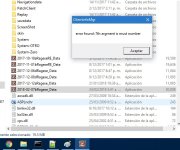
dont change packet encryption in client at all.

in hercules select correct packet version. and rebuild server.

also in conf set if you changed

Code:
packet_obfuscation: 2
 
@4144 ty very much! I can now enter the game... :blush:

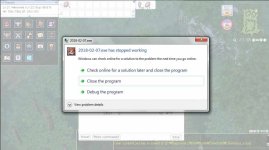
Can someone help me remove this error window, when opening the client?

These are my Diffs (i am using 2018-02-07bRagexeRE)


2 Chat Flood Allow
8 Custom Window Title
9 Disable 1rag1 type parameters (Recommended)
13 Disable Ragexe Filename Check (Recommended)
23 Enable /who command (Recommended)
24 Fix Camera Angles (Recommended)
28 Increase Headgear ViewID
32 Increase Zoom Out Max
33 Always Call SelectKoreaClientInfo() (Recommended)
34 Enable /showname (Recommended)
35 Read Data Folder First
36 Read msgstringtable.txt (Recommended)
37 Read questid2display.txt (Recommended)
38 Remove Gravity Ads (Recommended)
39 Remove Gravity Logo (Recommended)
40 Restore Login Window (Recommended)
41 Disable Nagle Algorithm (Recommended)
44 Translate Client (Recommended)
46 Use Normal Guild Brackets (Recommended)
47 Use Ragnarok Icon
48 Use Plain Text Descriptions (Recommended)
49 Enable Multiple GRFs (Recommended)
50 Skip License Screen
53 Use Ascii on All LangTypes (Recommended)
64 @ Bug Fix (Recommended)
65 Load Custom lua file instead of iteminfo*.lub (Recommended)
71 Ignore Resource Errors
72 Ignore Missing Palette Error
84 Remove Serial Display (Recommended)
88 Allow space in guild name
90 Enable DNS Support (Recommended)
91 Disconnect to Login Window
97 Cancel to Login Window (Recommended)
100 Disable Multiple Windows
101 Skip Friend list Cheat Check
102 Skip Guild Member Cheat Check
208 Restore Cash Shop Icon
213 Disable Help Message on Login (Recommended)
215 Increase Map Quality
234 Ignore Lua Errors
Error CltemInfoMgr:

1.jpg2.jpg
 
Last edited by a moderator:
it show error in lua files.

 
Status
Not open for further replies.
Back
Top