Follow along with the video below to see how to install our site as a web app on your home screen.
Note: This feature may not be available in some browsers.
Due to recent spam attacks that heavily used compormised accounts we did reset all user passwords, AGAIN, if it happens and your account got compromised again due to re-used passwords your account will be perma-banned.
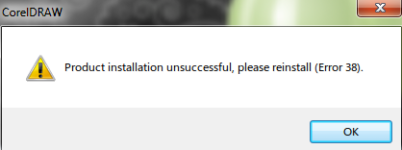
The problem is caused by the service called: "Protexis Licensing V2 service"
All you need to do is enable that service before opening coreldraw. All you have to do isSTART>;RUN>;services.msc OR
Right click My computer; select manage ; in the tree view, select services and applications, then expand hirachy select services
find the name with Protexis Licensing V2 and start that service. Change to automatic.
Thats all now you are done. No more installation error.
Reboot
If you are still experiencing the issue after applying this fix you can try CorelDraw Fix Toolbox https://www.fixtoolbox.com/coreldrawfix.html