
You are using an out of date browser. It may not display this or other websites correctly.
You should upgrade or use an alternative browser.
You should upgrade or use an alternative browser.
Notepad format
- Thread starter kyeme
- Start date

Nameless2you
Purring
- Messages
- 735
- Points
- 0
- IRC Nickname
- Streusel
- Github
- Streusel
- Emulator
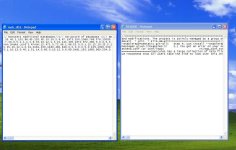
Has nothing to do with hercules, that's a general issue of how the client works with reading the file. I have the same issues when I open .txt files that I've created or edited via TextPad, and when I open them via NotePad. Best is to just download Notepad ++ and open the files via that, should resolve the issue, and if it doesn't you can just modify it yourself by copying the square box and replacing it with rn which means new line.
no, its hercules fault. either the repository or the client used are not maintaining line endings in a os-friendly fashionHas nothing to do with hercules, that's a general issue of how the client works with reading the file. I have the same issues when I open .txt files that I've created or edited via TextPad, and when I open them via NotePad. Best is to just download Notepad ++ and open the files via that, should resolve the issue, and if it doesn't you can just modify it yourself by copying the square box and replacing it with rn which means new line.
or can just copy+paste.Open them with wordpad -> save -> reopen with notepad
@offtopic
I'd like to see an extension for scripts. Other than just .txt, would be nice, it could support both.

malufett
Retired Staff
just configure your github...
http://wiki.opf-labs.org/display/SP/Configuring+how+line-endings+are+handled+by+git


http://wiki.opf-labs.org/display/SP/Configuring+how+line-endings+are+handled+by+git

kyeme
High Council
- Messages
- 500
- Points
- 28
- Github
- kyeme
- Emulator
Thank you for all your help I really appreciate everything

@maluffet I will try this thanks.
@maluffet I will try this thanks.
just configure your github...
http://wiki.opf-labs.org/display/SP/Configuring+how+line-endings+are+handled+by+git

Brynner
Community Contributors
how about on tortoise svn?
malufett
Retired Staff
I can't figure out how to do this in Tortoise SVN since it can't parse some git attributes..so ATM I used wordpad...how about on tortoise svn?