Web Grf Viewer

its useful  to view spr without installing any app and would be more friendly if

GRF Viewer support different Character encoding (krean..chinese..japanese.. )

 
Last edited by a moderator:
Thank you
default_smile.png


@Angelmelody

I have seriously no idea how to do this, there is no native command for it in JS, so I guess the only way is to create a function that modify each char of a string depending of the charset, but I lack informations about it.

 
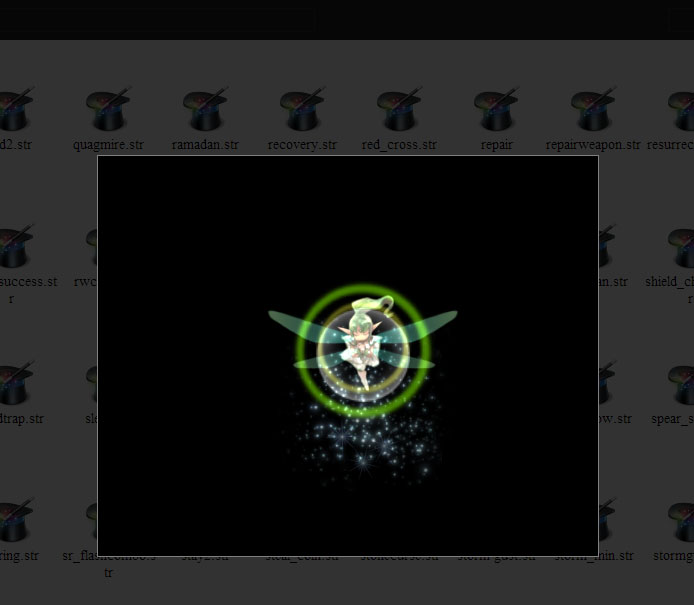
I got some brainstorm about STR files lately for roBrowser (file to store effects animations), so it's now available in the Grf Viewer :

str-effects.jpg


Hope you'll like it
default_smile.png


its still a bitt buged, but very nice work.

do you see any chance to write a tool where we can edit, modify, or create own effects and save them as str files for the client?

 
I will use this!

here i have suggestion, uhm, next and previous buttons on focused image
default_smile.png
and don't forget the name below,

 
Last edited by a moderator:
@Tepoo

So you notice
default_tongue.png
There are still some informations in the file I'm not sure about, but I expect it to be fix soon (I hope).

I don't think I'll work on a tool to create/edit this files in the near future, too much things to work on currently...

@Kbandeleon

Nice suggestion, I'll check it
default_smile.png


I got some brainstorm about STR files lately for roBrowser (file to store effects animations), so it's now available in the Grf Viewer :

str-effects.jpg


Hope you'll like it
default_smile.png
in my browser just showing black screen sir, and it is support map view ??

 
Last edited by a moderator:
in my browser just showing black screen sir, and it is support map view ??
If there was a problem it should be fix now, also speed up loading apps.

I don't understand your part about the map viewer. The effects aren't in the map view for now (still some work to do to list them).

 
in my browser just showing black screen sir, and it is support map view ??
If there was a problem it should be fix now, also speed up loading apps.

I don't understand your part about the map viewer. The effects aren't in the map view for now (still some work to do to list them).
I love this project.

I am using this now since GRF Editor is not working with my current Windows8 Theme, but my only problem with this is I can only extract files 1 by 1?

can u make it every folder please?

 
Happy you love it
default_biggrin.png


No currently there is no way to extract more than one file at the time. There is no API in the web to access user disk (security concern) to create folder and extract files inside.

That's the main reason why it's called "grf viewer" and can't extract folder, repack grf, add files, etc.

 
Back
Top