Ragnarok Renders

Mystery

Community Contributors
Messages
2,635
Points
0
Age
33
Location
Prontera ;3
Github
Mystery
Ragnarok Renders 
[FONT=comic sans ms']What is a render?[/FONT]
A render is basically an image where an object in the image has a transparent background. Think of transparency as something invisible. In this case the object(s) are monsters, characters, items, etc.


How do I make a render?
Well there are several ways, my easy solution is just to use the magic eraser tool in Photoshop CS5. You use that and click the background, the more solid the outline of the object the easier it is to render. Some objects you may have to trace the lines so that way the eraser doesn't erase a part of the image its not supposed to. This takes much trial and error, and don't worry, as long as you don't mess up on the tracing, you can't tell its been traced.


What does the packages contain?
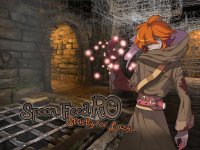
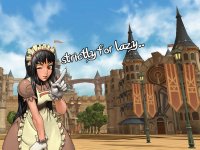
NPC cutins, official wallpapers, and fankit images. There are also login screens that have been put together, as well as loading screens. It will also have all the original images for people who want to help out or just to see what the render came from; however, wallpapers are not included because it makes the package too large.


What format are the images in?
The images are saved in .PNG format.
 
Disclaimer: Not every file is in .png format (Renders Package).

------------------------------------------------------------------------------------------------------------------------------------------------------------------------

Downloads
Renders Package (Renders [10-2-2010])
https://github.com/Mysteries/Mysterious-Project/tree/master/Graphics/Renders [10-2-2010]
Updated: Added blank card templates, as well as blank flags.

Card Images
https://github.com/Mysteries/Mysterious-Project/tree/master/Graphics/Card Images
Comment: I don't know if this will be useful to anyone, but I figured why not. From the data.grf.

NPC Cutins
https://github.com/Mysteries/Mysterious-Project/tree/master/Graphics/NPC Cutins
Info: The NPC images without a transparent background. Also from the data.grf.

jRO NPC Cutins (2012)
http://mysterious-project.googlecode.com/svn/trunk/Renders/jRO Cutins.rar
Info: Thanks to Bahamut for supplying them. I made them into Renders.
 
Rebellion (Friday October 18th 2013)
https://github.com/Mysteries/Mysterious-Project/tree/master/Graphics/Rebellion
Info: Trying to find some Rebellion images… in this folder there will be a mix of .jpgs and .pngs
 
Kagerou & Oboro (Friday October 18th 2013)
https://github.com/Mysteries/Mysterious-Project/tree/master/Graphics/Oboro&Kagerou
Info: Trying to find some Oboro & Kagerou images

February 1st 2014 Update~ 
 
Did some drastic changes with my Graphic folder that houses render images:
- Reorganized my folders
- Renamed a bunch of files
- Fixed Oboro and Kagerou to proper .png formats (Renders)
- Added a new folder ‘February2014_Renders’ with additional renders I am currently working on
- Updated Kagerou and Oboro Renders
 
Commit link
 
Sadly, the changes I've done were long for GitHub and won't display the diff.

 
Last edited by a moderator:
any screenshots if ok please?

I am here in the office, and I cannot download a file
default_smile.png


Last edited by a moderator:
any screenshots if ok please?

I am here in the office, and I cannot download a file
default_smile.png
What you could do, is go into the images' folder and click on an image. You should get the image shown : https://github.com/Mysteries/Mysterious-Project/tree/master/Graphics/1st-Humanish
wow, Cool
I updated my repo. Added some new images and renamed a bunch of images xD https://github.com/Mysteries/Mysterious-Project/commits/master

 
Do you know how to add this that if u click the NPC this cute images will show?
That can be done via 'cutin'. Check out our script_commands.txt file:

Code:
*cutin "<filename>",<position>; This command will display a picture, usually an NPC illustration, alsocalled cutin, for the currently attached client. The position parameterdetermines the placement of the illustration and takes following values:		 0 - bottom left corner		1 - bottom middle		2 - bottom right corner		3 - middle of screen in a movable window with an empty title bar		4 - middle of screen without the window header, but still movable The picture is read from datatexture???????illust, from both theGRF archive and data folder, and is required to be a bitmap. The fileextension .bmp can be omitted. Magenta color (#ff00ff) is consideredtransparent. There is no limit placed on the size of the illustrationsby the client, although loading of large pictures (about 700x700 andlarger) causes the client to freeze shortly (lag). Typically the size isabout 320x480. New illustrations can be added by just putting the new fileinto the location above. The client is able to display only one cutin at the same time and each newone will cause the old one to disappear. To delete the currently displayedillustration without displaying a new one, an empty file name and position255 must be used.		 // Displays the Comodo Kafra illustration in lower right corner.		cutin "kafra_07",2;		 // Typical way to end a script, which displayed an illustration during a		// dialog with a player.		mes "See you.";		close2;		cutin "",255;		end; 
 
Do you know how to add this that if u click the NPC this cute images will show?
That can be done via 'cutin'. Check out our script_commands.txt file:

*cutin "<filename>",<position>; This command will display a picture, usually an NPC illustration, alsocalled cutin, for the currently attached client. The position parameterdetermines the placement of the illustration and takes following values:  0 - bottom left corner 1 - bottom middle 2 - bottom right corner 3 - middle of screen in a movable window with an empty title bar 4 - middle of screen without the window header, but still movable The picture is read from datatexture???????illust, from both theGRF archive and data folder, and is required to be a bitmap. The fileextension .bmp can be omitted. Magenta color (#ff00ff) is consideredtransparent. There is no limit placed on the size of the illustrationsby the client, although loading of large pictures (about 700x700 andlarger) causes the client to freeze shortly (lag). Typically the size isabout 320x480. New illustrations can be added by just putting the new fileinto the location above. The client is able to display only one cutin at the same time and each newone will cause the old one to disappear. To delete the currently displayedillustration without displaying a new one, an empty file name and position255 must be used.  // Displays the Comodo Kafra illustration in lower right corner. cutin "kafra_07",2;  // Typical way to end a script, which displayed an illustration during a // dialog with a player. mes "See you."; close2; cutin "",255; end; 
Thank you so much 

can i use them in my loading screens?

 
Last edited by a moderator:
Back
Top