Hi,
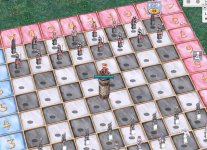
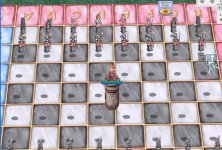
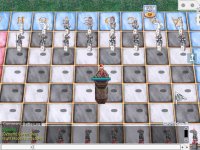
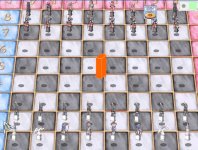
Requesting help from people who have knowledge on mapping. I need to have a tower like elevation of 1 x 1 cell for about 2 or 3 units up or boxes up. The map is chess01 and the location of the tower is coordinates 40 , 38
The reason why I want to have an elevation on this location since this is the only location where the player can have a clear view of the entire chess set without moving.
See attached images
Location :
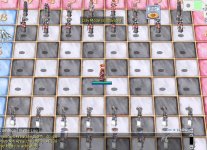
The only location of the map that a player can have a clear view of the entire set is coordinate 40 , 38 of this map
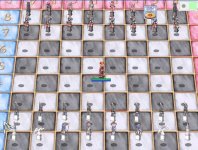
Map file : chess01
(map) chess01.rar
Please help!
Requesting help from people who have knowledge on mapping. I need to have a tower like elevation of 1 x 1 cell for about 2 or 3 units up or boxes up. The map is chess01 and the location of the tower is coordinates 40 , 38
The reason why I want to have an elevation on this location since this is the only location where the player can have a clear view of the entire chess set without moving.
See attached images
Location :
The only location of the map that a player can have a clear view of the entire set is coordinate 40 , 38 of this map
Map file : chess01
(map) chess01.rar
Please help!

 This function will return the count of connected characters which are located within the specified area - an x1/y1-x2/y2 square on the specified map.This is useful for maps that are split into many buildings, such as all the "*_in" maps, due to all the shops and houses.