

Hyoru
New member
- Messages
- 43
- Points
- 0
- Emulator
Hello!
Ops, wrong area.. It's not a request. Just need support. Sorry.
I'm having trouble to recolor this Lightsaber:
blue_lightsaber.rar
I followed jTynne's guide: http://herc.ws/board/topic/3842-guide-how-to-recolor-sprites-by-eiphes/
and when I imput the .bmp into the Actor the lighsaber is still blue (I'm using photoshop cs 5)
When I edit with paint the actor shows this:
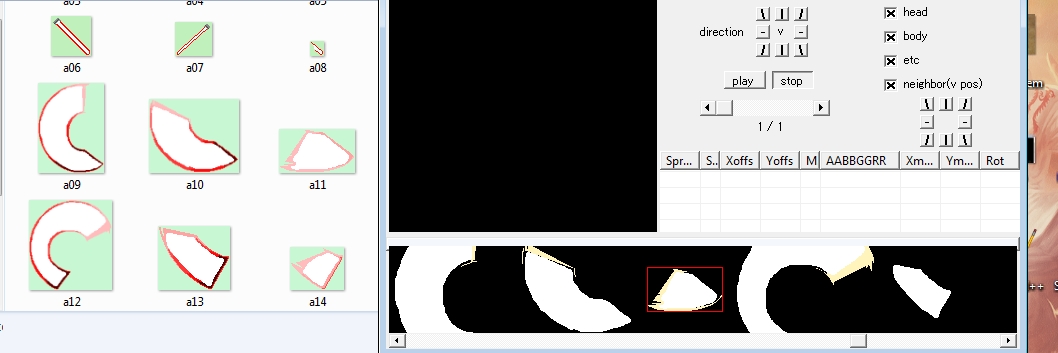
Please help!
Thank you.
Ops, wrong area.. It's not a request. Just need support. Sorry.
I'm having trouble to recolor this Lightsaber:
blue_lightsaber.rar
I followed jTynne's guide: http://herc.ws/board/topic/3842-guide-how-to-recolor-sprites-by-eiphes/
and when I imput the .bmp into the Actor the lighsaber is still blue (I'm using photoshop cs 5)
When I edit with paint the actor shows this:
Please help!
Thank you.
Attachments
Last edited by a moderator:

