
(I used 2014-02-05 client)
I just started learning how to make a server lately and I've gotten some problems
I have done all the steps and compiled hercules with PACKETVER 20140205
I used guide from here http://herc.ws/board/topic/8894-guide-setting-up-2013-client-for-hercules/ and here http://herc.ws/board/topic/968-guide-how-to-setup-hercules/
1) When I tried using client provided here http://herc.ws/board/topic/10666-release-2012-04-10-ragexere-full-client/, I was able to log in successfully, with some problems:
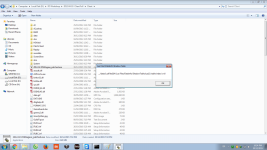
When about to start client: pic #1 (Untitled.png)
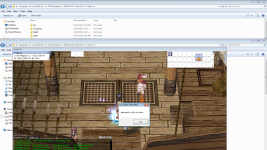
when about to use skills: pic#2 (Untitled2.png)
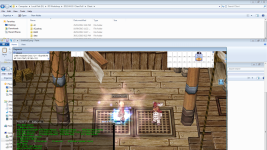
some skills are exceptions though: pic#3
even some classes (some 3rd + Adv) cause endless error too (had to end process to close)
I guess the reason is that the original datas are old (2012 ?) and therefore lots of files are missing
Anyway, I'm happy that I could start the client and successfully log in.
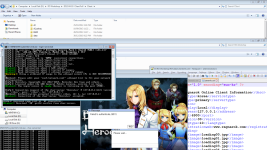
2) However, after copying the 2014-02-05bRagexe_patched to kRO folder obtained from https://www.nickyzai.com/?p=kro, it didn't work. I thought because clientinfo.xml was missing. So I downloaded files from here http://herc.ws/board/topic/398-client-translation-project/ and copied them to RO folder . Yet it didn't work. No errors were prompted in the login char window
pic#4
The server couldn't even recognize the client was there.
Why is that? It worked on the old client just fine but not the lastest kRO from nickyzai.com
And I did config the DATA.INI for 1) and 2). The only difference between the 2 is that the 1) has YourRO.grf but the 2) does not.
I'd be appreciated if anyone can help

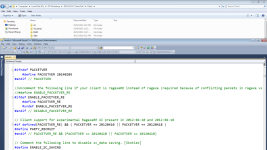
(mmo.h in pic#5)
I just started learning how to make a server lately and I've gotten some problems
I have done all the steps and compiled hercules with PACKETVER 20140205
I used guide from here http://herc.ws/board/topic/8894-guide-setting-up-2013-client-for-hercules/ and here http://herc.ws/board/topic/968-guide-how-to-setup-hercules/
1) When I tried using client provided here http://herc.ws/board/topic/10666-release-2012-04-10-ragexere-full-client/, I was able to log in successfully, with some problems:
When about to start client: pic #1 (Untitled.png)
when about to use skills: pic#2 (Untitled2.png)
some skills are exceptions though: pic#3
even some classes (some 3rd + Adv) cause endless error too (had to end process to close)
I guess the reason is that the original datas are old (2012 ?) and therefore lots of files are missing
Anyway, I'm happy that I could start the client and successfully log in.
2) However, after copying the 2014-02-05bRagexe_patched to kRO folder obtained from https://www.nickyzai.com/?p=kro, it didn't work. I thought because clientinfo.xml was missing. So I downloaded files from here http://herc.ws/board/topic/398-client-translation-project/ and copied them to RO folder . Yet it didn't work. No errors were prompted in the login char window
pic#4
The server couldn't even recognize the client was there.
Why is that? It worked on the old client just fine but not the lastest kRO from nickyzai.com
And I did config the DATA.INI for 1) and 2). The only difference between the 2 is that the 1) has YourRO.grf but the 2) does not.
I'd be appreciated if anyone can help
(mmo.h in pic#5)
Last edited by a moderator: