
Shakto
Community Contributors
Search if you have a another file OptionInfo.lua who is not in the system folder and delete it
Last edited by a moderator:


working fine in me...Shakto, I can't see the Jack Frost effect in 2013-03-20 client. Sorry I think I've read it somewhere but I can't find it now. Is this a known issue? Or already fixed? Thanks!

Experiencing this also, i think its just with that client.Shakto, I can't see the Jack Frost effect in 2013-03-20 client. Sorry I think I've read it somewhere but I can't find it now. Is this a known issue? Or already fixed? Thanks!
Hi Malufett, what client are you using? Can you show me your diffs please?working fine in me...Shakto, I can't see the Jack Frost effect in 2013-03-20 client. Sorry I think I've read it somewhere but I can't find it now. Is this a known issue? Or already fixed? Thanks!
anyone figure out the arrow select(0x1ad) client crush also with the shift+right click+mouse move client crash?
@Shakto
All errors are fixed
@topic
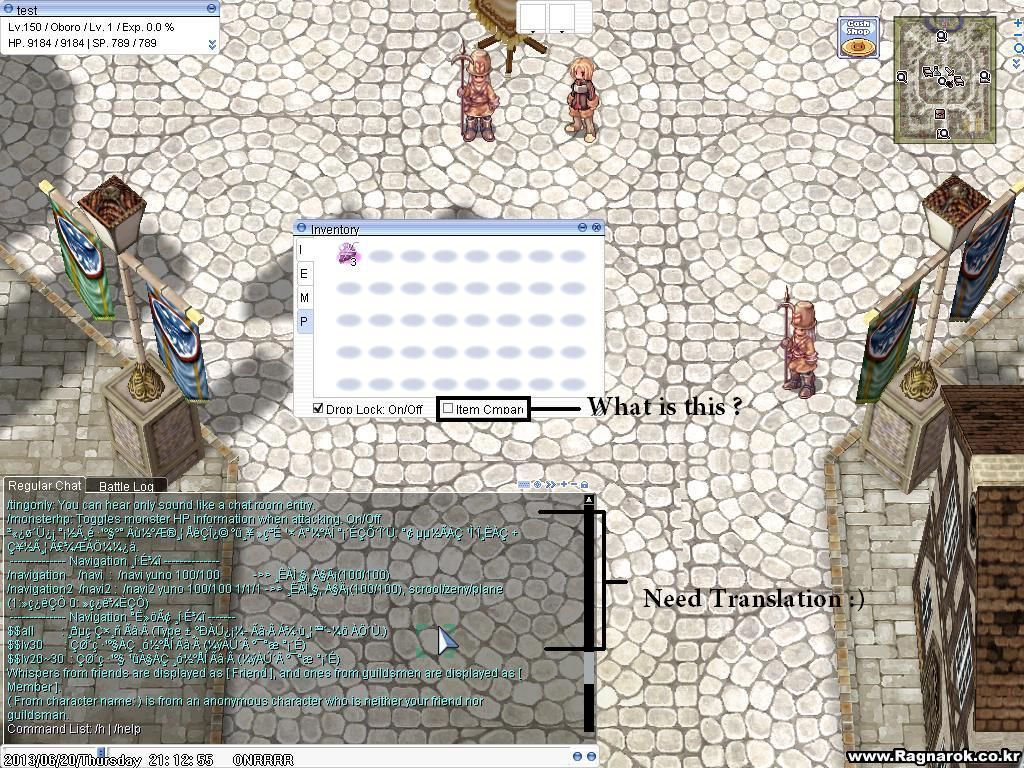
My problem is the translation. I am using client side translation rev. 37.
and NPC names in navigation window are gibberish .. ( I deleted Navigation folder in my Lua file folder because it cause errors. )
If you still have trouble with lub files, you can use my own luafiles514 folder (delete your own luafiles514 folder before !!!)
http://www.mediafire...uudw9u0siwnycwz
no special diff used...only title bar...just use /mineffect to display what is missing..Hi Malufett, what client are you using? Can you show me your diffs please?working fine in me...Shakto, I can't see the Jack Frost effect in 2013-03-20 client. Sorry I think I've read it somewhere but I can't find it now. Is this a known issue? Or already fixed? Thanks!
anyone figure out the arrow select(0x1ad) client crush also with the shift+right click+mouse move client crash?

Hahaha thanks! Works like magicno special diff used...only title bar...just use /mineffect to display what is missing..Hi Malufett, what client are you using? Can you show me your diffs please?working fine in me...Shakto, I can't see the Jack Frost effect in 2013-03-20 client. Sorry I think I've read it somewhere but I can't find it now. Is this a known issue? Or already fixed? Thanks!
anyone figure out the arrow select(0x1ad) client crush also with the shift+right click+mouse move client crash?
Is there any way to run the client without admin priviledges?This problem only encounters with users without admin priviledges
We use essential cookies to make this site work, and optional cookies to enhance your experience.
