How create new maps and filds (Files.mcache)

build server

build mapcache plugin

make plugin.mapcache


run command for help about command line parameters

./map-server --load-plugin mapcache --help


See all commands about map cache and select what you want.

For add map probably you want

Code:
./map-server --load-plugin mapcache --map youmapname
 
Ty friends I already learned to compiler plugins.

Now the problem is that i don't create plugins, to perform all those processes I need the files mapcache.c  or  mapcache.so

1.jpg

2.jpg

3.jpg
If you have some free time, please could you create an archive plugin mapcache.c to edit and add new maps.

Thank you very much

 
Last edited by a moderator:
probably you changed some make files?

or may be using old hercules version where no mapcache plugin? see in src/plugins, should be file mapcache.c

 
in Windows:

Well I tried it all day and I don't get it...  :(

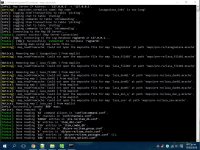
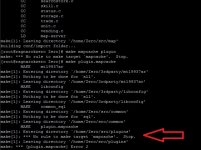
Add the mapcache.c plugin and compile everything without errors, but I still can not create the .MCACHE files. 

Here: Note 1

In linux: 

if this is my data folder, how would I to write in my file grf-files.txt?

Note:  Note 2

 
Last edited by a moderator:
in windows copy plugin binary mapcache.dll into plugins directory in hercules.

then open command line in hercules directory

and run commands what was in previous messages.

in linux you using wrong directory. put files in /home/data/data.

dir /home/data is your client root, /home/data/data is data directory in client.

 
Thank you very much... --> FINAL NOTE


The truth was i had two mistakes of his own:

1.- I had to copy the file "mapcache.dll" in the folders plugin and the folder of the emulator.

.2-  Never use as a final folder for grf-files.txt a folder called "data", because by default, the emulator reads to data folder as the final destination, that is, if you have your .gat files in your data directory, you should ideally write the path without placing the data folder :

*Example

*In my directory real:

F:\Gravity\Ragnarok\RO\data\lasagna.gat

*In "grf-files.txt" you would apply the following route:


F:\Gravity\Ragnarok\RO\

in windows copy plugin binary mapcache.dll into plugins directory in hercules.

then open command line in hercules directory

and run commands what was in previous messages.

in linux you using wrong directory. put files in /home/data/data.

dir /home/data is your client root, /home/data/data is data directory in client.

 
Last edited by a moderator:
Back
Top