Stellar - FluxCP (Herc FluxCP)

Hyvraine

New member
Messages
56
Points
0
Emulator


View File

Stellar - FluxCP (Herc FluxCP)


Stellar by HTML5 UP | @ajlkn | html5up.net
Free for personal and commercial use under the CCA 3.0 license (html5up.net/license)

Integrated to FluxCP (Hercules) by Hyvraine of Hyvraine Designs | facebook.com/HyvraineDesigns

================================

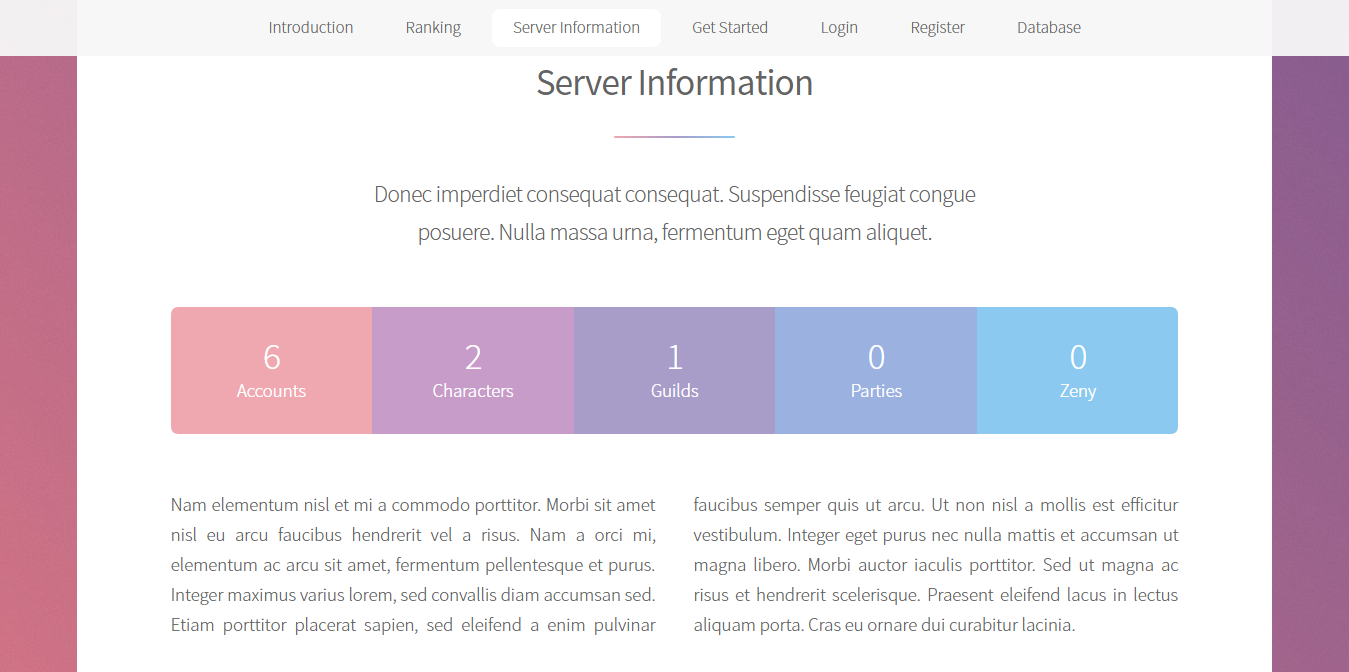
Ported this to FluxCP (Herc) as I was fiddling with responsive templates. It's semi-responsive, I think.

FEATURES:

  • WoE Countdown
  • Top Guild
  • Top Player (based on FluxCP's Character Ranking module)
HOW TO INSTALL:
This follows the default theme of FluxCP, it acts similar like Emphaino where it inherits the default FluxCP pages.

  1. Extract the RAR file in the themes folder. 
  2. In application.php: make sure 'stellar' comes first and then 'default' next
'ThemeName' => array('stellar','default'), // Names of the themes you would like to use. Themes are in FLUX_ROOT/themes. First theme listed will be default theme.


And you should be good to go.

HOW TO EDIT:

Site title is still dependent on the variable SiteTitle inside application.php.

Edit index.php in stellar/main/ for the front page stuff.

For the Favicon, Logo, Description, WoE Hours, Site Navigation, please visit settings.php for more instructions.


it's beautiful but where is the Admin menu like default theme? It's possible to active it from the settings.php and how can I make it?
There is more importants link/page like logs system, service desk (staff area), send global mail, ip ban list etc... that I do not know how to view these links only if a user is logged in as administrator or GM.


Instead of displaying Accounts, Characters, Guilds, Parties, and Zennies. 

Can someone edit it to display Login Server, Char Server, Map Server, Players Online, and  GMs Online?

 
The topic is very good! but I have a problem, the resolution of the web is very big, how can I reduce the% of the display. I have to place in my browser with 80% of 100% to be able to see the web well (My monitor is 1080p)

 
Warning: include(themes/stellar/main/castle_data.php): failed to open stream: No such file or directory in /var/www/html/themes/stellar/main/functions.php on line 10

Warning: include(): Failed opening 'themes/stellar/main/castle_data.php' for inclusion (include_path='lib:.:/usr/share/pear:/usr/share/php') in /var/www/html/themes/stellar/main/functions.php on line 10


anyone able to test this theme again? getting this and yeah, file is not there..

 
Warning: include(themes/stellar/main/castle_data.php): failed to open stream: No such file or directory in /var/www/html/themes/stellar/main/functions.php on line 10

Warning: include(): Failed opening 'themes/stellar/main/castle_data.php' for inclusion (include_path='lib:.:/usr/share/pear:/usr/share/php') in /var/www/html/themes/stellar/main/functions.php on line 10

Warning: include(themes/stellar/main/castle_data.php): failed to open stream: No such file or directory in /var/www/html/themes/stellar/main/functions.php on line 10

Warning: include(): Failed opening 'themes/stellar/main/castle_data.php' for inclusion (include_path='lib:.:/usr/share/pear:/usr/share/php') in /var/www/html/themes/stellar/main/functions.php on line 10


anyone able to test this theme again? getting this and yeah, file is not there..
Same issue -- It's missing the file haha. 

 
I did the instruction carefully but nothing happens. Still default theme is appearing. anyhelp anyone?

 
Back
Top