2013 Ragexe and Diff (Up to date 2013-08-07)

is there a way use like

2012 Version: Thorpatcher.exe/neoncube/etc. --> 2012-04-10RagexeRe.exe

2013 Version: Rolex --> 2013-05-15aRagexe.exe (very confusius version) or this 2013 use thor-->role-->2013-05-15aRagexe.exe ? too many third party apps...

default_mellow.png
default_wacko.png


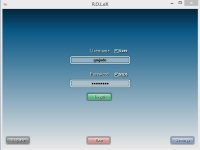
2013 is not a  "patcher" it's a login screen freeware to enter your login and password

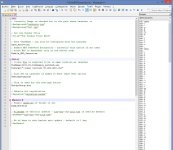
So you have to open the launcher.ini and configure that :

[Data]; Client Exe is expected to be in same location as launcherExeName=Yourexename.exe
No, you have to have this launcher

This way : use thor-->role-->2013-05-15aRagexe.exe

 
Last edited by a moderator:
The patch ignore missing palette error has been correct (maked crash the client on custom sprit on char selection)

thx Pinky for the report

All the files has been updated

 
there is a proposed plan in motion to merge the grf patcher & client launcher. but in the mean time yes you will have to launch in that order

GRF Patcher -> Client Launcher -> Client

 
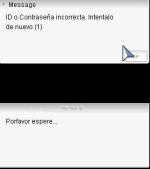
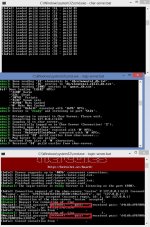
Hello i have this error. my exe is 2013-03-20eRagexe

error1.jpg

error3.jpg

error2.jpg

error 4.jpg

 
Last edited by a moderator:
Ok it has been fix on another topic

For ppl who want to use CHinese Font, i added a patch to the diff file : Use Chinese on all Langtype

Enjoy it !

 
Why is it not a good idea to disable RAG1&SAK1  if it's not for testing purposes?

 
cause there is not login windows anymore so to log in without that, it will be complicate
default_smile.png


I'm using 2013-05-22 client and I already updated my LUA files but I get this error upon logging in using ROLEX. Any idea how to resolve this? Thanks!
default_biggrin.png


2yx3rdc.png


Diff 2013-06-05 v1 (update 06/06/13) release

thx again to k3dt for uncrypt themida client

 
Rename your lua files in lub files
You mean the I'll rename the folder - lua files to lub files ? Will try this when I get home after work. Are there other folders or lua files that be needs to be renamed in data folder aside from that? Thanks Shakto!

 
are you using 2013 client? use the quest_function.lub in 2013 folder replaced the 2012 quest-function.lub bcoz i try it and the error is gone

 
Rename your lua files in lub files
You mean the I'll rename the folder - lua files to lub files ? Will try this when I get home after work. Are there other folders or lua files that be needs to be renamed in data folder aside from that? Thanks Shakto!
Don't rename the folder, you need to change the file extension.

Example: quest_function.lua to quest_function.lub

 
Last edited by a moderator:
are you using 2013 client? use the quest_function.lub in 2013 folder replaced the 2012 quest-function.lub bcoz i try it and the error is gone
Thanks! The error is now gone
default_smile.png
Anyway I get some errors if I rename ALL *.lua files to *.lub files so I just renamed the files inside quest folder and skillinfoz folder only and seems working fine - is this okay?

However my client 20130522 got crashed when I right click on an equipment if the "Item Compare" is checked (I'm not sure if that's correct). But it's working if it's UNCHECKED.

ibjuv6.png


let me try it also the item compare then i will post it here but mine is working no errors on that item compare, maybe item compare is not working with me also

 
Last edited by a moderator:
are you using 2013 client? use the quest_function.lub in 2013 folder replaced the 2012 quest-function.lub bcoz i try it and the error is gone
Thanks! The error is now gone
default_smile.png
Anyway I get some errors if I rename ALL *.lua files to *.lub files so I just renamed the files inside quest folder and skillinfoz folder only and seems working fine - is this okay?

However my client 20130522 got crashed when I right click on an equipment if the "Item Compare" is checked (I'm not sure if that's correct). But it's working if it's UNCHECKED.

ibjuv6.png
can you give me your diff exe client so that i can test it here in my computer

 
Back
Top