2013 Ragexe Support [Main Topic]

5_zps742267bb.jpg
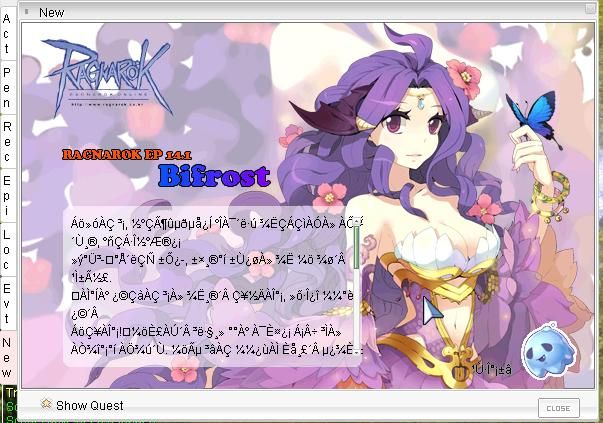
how to turn this thing off? or maybe which part of the lua should i edit?​
 
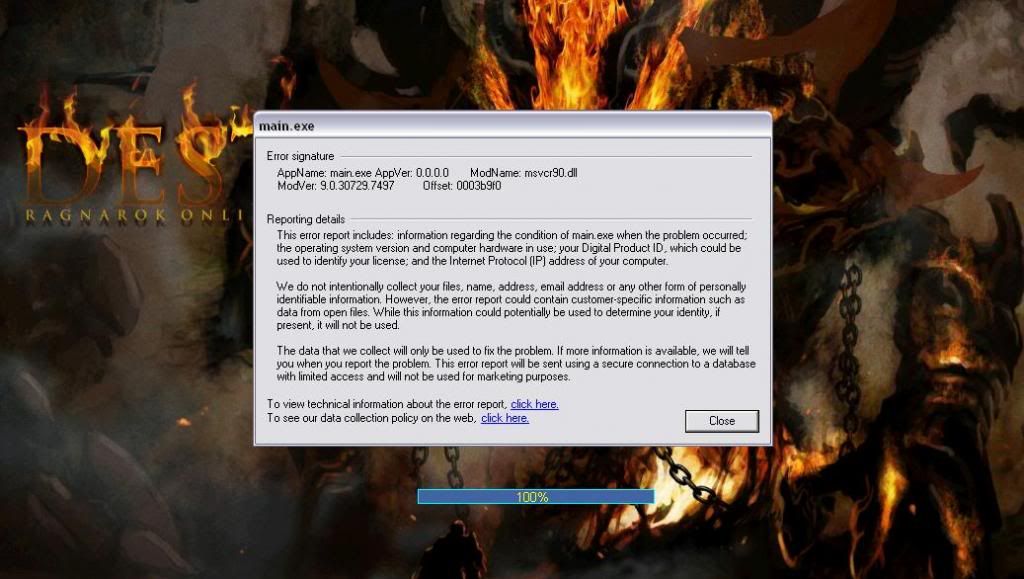
I got a client crash on 2013-07-03 with female character on character selection screen

Code:
<?xml version="1.0"?><DiffProfile xmlns:xsi="http://www.w3.org/2001/XMLSchema-instance" xmlns:xsd="http://www.w3.org/2001/XMLSchema">  <Name>Last Patches</Name>  <Entries>    <DiffProfileEntry>      <PatchID>2</PatchID>      <PatchName>Allow Chat Flood (? lines)</PatchName>      <Inputs>        <DiffProfileInput>          <name>allowChatFlood</name>          <value>5</value>        </DiffProfileInput>      </Inputs>    </DiffProfileEntry>    <DiffProfileEntry>      <PatchID>88</PatchID>      <PatchName>Allow space in guild name</PatchName>      <Inputs />    </DiffProfileEntry>    <DiffProfileEntry>      <PatchID>7</PatchID>      <PatchName>Change Gravity Error Handler</PatchName>      <Inputs />    </DiffProfileEntry>    <DiffProfileEntry>      <PatchID>8</PatchID>      <PatchName>Custom Window Title</PatchName>      <Inputs>        <DiffProfileInput>          <name>customWindowTitle</name>          <value>Project DestRO</value>        </DiffProfileInput>      </Inputs>    </DiffProfileEntry>    <DiffProfileEntry>      <PatchID>13</PatchID>      <PatchName>Disable Ragexe Filename Check</PatchName>      <Inputs />    </DiffProfileEntry>    <DiffProfileEntry>      <PatchID>15</PatchID>      <PatchName>Disable HShield</PatchName>      <Inputs />    </DiffProfileEntry>    <DiffProfileEntry>      <PatchID>61</PatchID>      <PatchName>Disable Packet Encryption</PatchName>      <Inputs />    </DiffProfileEntry>    <DiffProfileEntry>      <PatchID>16</PatchID>      <PatchName>Disable Swear Filter</PatchName>      <Inputs />    </DiffProfileEntry>    <DiffProfileEntry>      <PatchID>68</PatchID>      <PatchName>Enable 64k Hairstyle</PatchName>      <Inputs />    </DiffProfileEntry>    <DiffProfileEntry>      <PatchID>77</PatchID>      <PatchName>Enable Custom 3D Bones</PatchName>      <Inputs />    </DiffProfileEntry>    <DiffProfileEntry>      <PatchID>90</PatchID>      <PatchName>EnableDNSSupport</PatchName>      <Inputs />    </DiffProfileEntry>    <DiffProfileEntry>      <PatchID>49</PatchID>      <PatchName>Enable Multiple GRFs</PatchName>      <Inputs />    </DiffProfileEntry>    <DiffProfileEntry>      <PatchID>17</PatchID>      <PatchName>Enable Official Custom Fonts</PatchName>      <Inputs />    </DiffProfileEntry>    <DiffProfileEntry>      <PatchID>64</PatchID>      <PatchName>@ Bug Fix (Recommended)</PatchName>      <Inputs />    </DiffProfileEntry>    <DiffProfileEntry>      <PatchID>74</PatchID>      <PatchName>Increase Screenshot Quality</PatchName>      <Inputs>        <DiffProfileInput>          <name>uQuality</name>          <value>75</value>        </DiffProfileInput>      </Inputs>    </DiffProfileEntry>    <DiffProfileEntry>      <PatchID>28</PatchID>      <PatchName>Increase Headgear ViewID to 5000</PatchName>      <Inputs />    </DiffProfileEntry>    <DiffProfileEntry>      <PatchID>65</PatchID>      <PatchName>Load ItemInfo.lua before lub</PatchName>      <Inputs />    </DiffProfileEntry>    <DiffProfileEntry>      <PatchID>33</PatchID>      <PatchName>KOREA ServiceType XML Fix</PatchName>      <Inputs />    </DiffProfileEntry>    <DiffProfileEntry>      <PatchID>36</PatchID>      <PatchName>Read msgstringtable.txt</PatchName>      <Inputs />    </DiffProfileEntry>    <DiffProfileEntry>      <PatchID>37</PatchID>      <PatchName>Read questid2display.txt</PatchName>      <Inputs />    </DiffProfileEntry>    <DiffProfileEntry>      <PatchID>38</PatchID>      <PatchName>Remove Gravity Ads</PatchName>      <Inputs />    </DiffProfileEntry>    <DiffProfileEntry>      <PatchID>39</PatchID>      <PatchName>Remove Gravity Logo</PatchName>      <Inputs />    </DiffProfileEntry>    <DiffProfileEntry>      <PatchID>73</PatchID>      <PatchName>Remove Hourly Annonce</PatchName>      <Inputs />    </DiffProfileEntry>    <DiffProfileEntry>      <PatchID>84</PatchID>      <PatchName>Remove Serial Display</PatchName>      <Inputs />    </DiffProfileEntry>    <DiffProfileEntry>      <PatchID>41</PatchID>      <PatchName>Disable Nagle Algorithm</PatchName>      <Inputs />    </DiffProfileEntry>    <DiffProfileEntry>      <PatchID>50</PatchID>      <PatchName>Skip License Screen</PatchName>      <Inputs />    </DiffProfileEntry>    <DiffProfileEntry>      <PatchID>95</PatchID>      <PatchName>Use SSO Login Packet</PatchName>      <Inputs />    </DiffProfileEntry>    <DiffProfileEntry>      <PatchID>44</PatchID>      <PatchName>Translate Client In English</PatchName>      <Inputs />    </DiffProfileEntry>    <DiffProfileEntry>      <PatchID>51</PatchID>      <PatchName>Ascii & Arial on All Langtypes</PatchName>      <Inputs />    </DiffProfileEntry>    <DiffProfileEntry>      <PatchID>46</PatchID>      <PatchName>Use Normal Guild Brackets</PatchName>      <Inputs />    </DiffProfileEntry>    <DiffProfileEntry>      <PatchID>48</PatchID>      <PatchName>Use Plain Text Descriptions</PatchName>      <Inputs />    </DiffProfileEntry>    <DiffProfileEntry>      <PatchID>54</PatchID>      <PatchName>eXtract MsgStringTable.txt</PatchName>      <Inputs />    </DiffProfileEntry>    <DiffProfileEntry>      <PatchID>62</PatchID>      <PatchName>eXtract txt file strings</PatchName>      <Inputs />    </DiffProfileEntry>  </Entries></DiffProfile>
 
Q : I can't use item compare, my client crash

A : Update your kro folder using rsu patcher
Dont work for me. I updated the Kro Folder after loading new KRO from date 2013 08 01. It still chrashes everytime...

 
Last edited by a moderator:
I got a crash on ranger on when i log out then log in again on any 2013 clients

<?xml version="1.0"?><DiffProfile xmlns:xsi="http://www.w3.org/2001/XMLSchema-instance" xmlns:xsd="http://www.w3.org/2001/XMLSchema"> <Name>Last Patches</Name> <Entries> <DiffProfileEntry> <PatchID>2</PatchID> <PatchName>Allow Chat Flood (? lines)</PatchName> <Inputs> <DiffProfileInput> <name>allowChatFlood</name> <value>3</value> </DiffProfileInput> </Inputs> </DiffProfileEntry> <DiffProfileEntry> <PatchID>88</PatchID> <PatchName>Allow space in guild name</PatchName> <Inputs /> </DiffProfileEntry> <DiffProfileEntry> <PatchID>7</PatchID> <PatchName>Change Gravity Error Handler</PatchName> <Inputs /> </DiffProfileEntry> <DiffProfileEntry> <PatchID>8</PatchID> <PatchName>Custom Window Title</PatchName> <Inputs> <DiffProfileInput> <name>customWindowTitle</name> <value>Beta Phase</value> </DiffProfileInput> </Inputs> </DiffProfileEntry> <DiffProfileEntry> <PatchID>13</PatchID> <PatchName>Disable Ragexe Filename Check</PatchName> <Inputs /> </DiffProfileEntry> <DiffProfileEntry> <PatchID>14</PatchID> <PatchName>Disable Hallucination Wavy Screen</PatchName> <Inputs /> </DiffProfileEntry> <DiffProfileEntry> <PatchID>15</PatchID> <PatchName>Disable HShield</PatchName> <Inputs /> </DiffProfileEntry> <DiffProfileEntry> <PatchID>61</PatchID> <PatchName>Disable Packet Encryption</PatchName> <Inputs /> </DiffProfileEntry> <DiffProfileEntry> <PatchID>68</PatchID> <PatchName>Enable 64k Hairstyle</PatchName> <Inputs /> </DiffProfileEntry> <DiffProfileEntry> <PatchID>90</PatchID> <PatchName>EnableDNSSupport</PatchName> <Inputs /> </DiffProfileEntry> <DiffProfileEntry> <PatchID>49</PatchID> <PatchName>Enable Multiple GRFs</PatchName> <Inputs /> </DiffProfileEntry> <DiffProfileEntry> <PatchID>19</PatchID> <PatchName>Enable Title Bar Menu</PatchName> <Inputs /> </DiffProfileEntry> <DiffProfileEntry> <PatchID>64</PatchID> <PatchName>@ Bug Fix (Recommended)</PatchName> <Inputs /> </DiffProfileEntry> <DiffProfileEntry> <PatchID>71</PatchID> <PatchName>Ignore Missing File Error</PatchName> <Inputs /> </DiffProfileEntry> <DiffProfileEntry> <PatchID>28</PatchID> <PatchName>Increase Headgear ViewID to 5000</PatchName> <Inputs /> </DiffProfileEntry> <DiffProfileEntry> <PatchID>65</PatchID> <PatchName>Load ItemInfo.lua before lub</PatchName> <Inputs /> </DiffProfileEntry> <DiffProfileEntry> <PatchID>33</PatchID> <PatchName>KOREA ServiceType XML Fix</PatchName> <Inputs /> </DiffProfileEntry> <DiffProfileEntry> <PatchID>36</PatchID> <PatchName>Read msgstringtable.txt</PatchName> <Inputs /> </DiffProfileEntry> <DiffProfileEntry> <PatchID>37</PatchID> <PatchName>Read questid2display.txt</PatchName> <Inputs /> </DiffProfileEntry> <DiffProfileEntry> <PatchID>38</PatchID> <PatchName>Remove Gravity Ads</PatchName> <Inputs /> </DiffProfileEntry> <DiffProfileEntry> <PatchID>39</PatchID> <PatchName>Remove Gravity Logo</PatchName> <Inputs /> </DiffProfileEntry> <DiffProfileEntry> <PatchID>73</PatchID> <PatchName>Remove Hourly Annonce</PatchName> <Inputs /> </DiffProfileEntry> <DiffProfileEntry> <PatchID>84</PatchID> <PatchName>Remove Serial Display</PatchName> <Inputs /> </DiffProfileEntry> <DiffProfileEntry> <PatchID>41</PatchID> <PatchName>Disable Nagle Algorithm</PatchName> <Inputs /> </DiffProfileEntry> <DiffProfileEntry> <PatchID>50</PatchID> <PatchName>Skip License Screen</PatchName> <Inputs /> </DiffProfileEntry> <DiffProfileEntry> <PatchID>95</PatchID> <PatchName>Use SSO Login Packet</PatchName> <Inputs /> </DiffProfileEntry> <DiffProfileEntry> <PatchID>44</PatchID> <PatchName>Translate Client In English</PatchName> <Inputs /> </DiffProfileEntry> <DiffProfileEntry> <PatchID>51</PatchID> <PatchName>Ascii & Arial on All Langtypes</PatchName> <Inputs /> </DiffProfileEntry> <DiffProfileEntry> <PatchID>46</PatchID> <PatchName>Use Normal Guild Brackets</PatchName> <Inputs /> </DiffProfileEntry> <DiffProfileEntry> <PatchID>48</PatchID> <PatchName>Use Plain Text Descriptions</PatchName> <Inputs /> </DiffProfileEntry> <DiffProfileEntry> <PatchID>47</PatchID> <PatchName>Use Ragnarok Icon</PatchName> <Inputs /> </DiffProfileEntry> <DiffProfileEntry> <PatchID>62</PatchID> <PatchName>eXtract txt file strings</PatchName> <Inputs /> </DiffProfileEntry> <DiffProfileEntry> <PatchID>54</PatchID> <PatchName>eXtract MsgStringTable.txt</PatchName> <Inputs /> </DiffProfileEntry> </Entries></DiffProfile>

1_zps03821e8a.jpg


I'm using 20130522 client.

Bug:

- Fix Camera Angles

Tested:

- Shift + Mouse Scroll = Hang / Close Client

 
I don't know if this is relatively related.

show_mob_info: 6 or any others don't work for me. It's not showing anything.

Reloaded / Restart the server.

Reloadbattleconf

Reloadscript

None of those works.

Maybe it's a client issue or something?

I'm using 20130522 client.

 
Last edited by a moderator:
sorry 4 ask , i use 2013-06-26b.exe Dan R.O.L.eX.LQ Launcher

And My Question Is :

Why
When I Open R.O.L.eX.LQ Launcher , Always Download kRO Patch ? I
Already Change It To Download My RO Patch...But Every I Patch kRO Use
RSU And Open R.O.L.eX.LQ Launcher will transfer to windows login , not
to my patcher again..


so what i want is , disable download / checking kRO update When Launch R.O.L.eX.LQ

Thanks

- This Is My Launcher.txt

[uI]
; Currently Image is checked for in the path where Launcher is
Background="vembel.jpg"
;Background="bg1.jpg"

; Set the Window TItle
Title="Ragnarok Vembel"

; Save UserName - can also be configured from the Launcher
Save_User=true
; Enable MD5 Password Encryption - currently this option is not used
; since MD5 is dependent only on the server side.
Enable_MD5_Pass=false

[Data]
; Client Exe is expected to be in same location as launcher
ExeName=Selker.exe
ExeArgs="-1rag1 /account:clientinfo.xml"

; Also Set by Launcher if asked to Save (Save User option)
Username=

; This is used for the settings button
Setup=Setup.exe

; Website for registration
;Register="registrationweb"

[updater]
; Enable updation of folder or not
Enabled=True

; Filename of Official updater - rsu-kro-rag-lite.exe is used by default
ExeName="KPatcher.exe" <== i change rsu patcher into my patcher

; No of days to wait before next update - default is 1 day
;DaySpan=1'
 
@Ryoko that is not what the Updater section is for. If you wish to use KPatcher you need to put RoLex as the client executable in KPatcher's ini file not the other way around. As for disabling kro patching you can just put the Enabled=false.

 
NeoMind, on 15 Aug 2013 - 01:27, said:

@Ryoko that is not what the Updater section is for. If you wish to use KPatcher you need to put RoLex as the client executable in KPatcher's ini file not the other way around. As for disabling kro patching you can just put the Enabled=false.
yes i know , before i patch kRO Use RSU it's work fine...
so when i click RoLex it's will open kPatcher And When I Click Start In Kpatcher It's will transfered into login screen

So RoLex -> Kpatcher -> Login Screen

but after patch kRO , now when i click RoLex It's Always Open Windows Login Not kPatcher First...

And When I Click KPatcher And Click Start ( without RoLex ) i can't login...

so i only can login use RoLex . And Patch Use Kpatcher.thats why i make RoLex -> Kpatcher - > Login Screen

and how to make RoLex Open kPatcher Before This ? I Only Change

; Filename of Official updater - rsu-kro-rag-lite.exe is used by default

ExeName="KPatcher.exe"

and it's work good...but when patch kRO it's not work again

 
Last edited by a moderator:
because in the code i am checking the last patched date and running the updater only if there is any. so if your uptodate with the official patches it wont run it.

you can only run KPatcher > Rolex > Client. 

 
Q : My font is in bold or i can't see my guild name or party name
A : Use the command /showname in game

I try to do this but not working it's stay in bold.

I'm using 2013-07-03 with langtype 18. The /showname only works with langtype 0. I need langtype 18 for the accent.

Thanks for support.

 
because in the code i am checking the last patched date and running the updater only if there is any. so if your uptodate with the official patches it wont run it.

you can only run KPatcher > Rolex > Client. 

uhmmm , yes i can disable kRO patch finally !! and i run KPatcher -> Rolex -> Client , and it's work 100% NOW !! THANKS !!

 
Ok found my problem. Need to use the "Ascii & Arial on All Langtypes" and "Use Normal Guild Brackets" when patch the exe and use langtype 0 in clientinfo.xml

 
Last edited by a moderator:
hello i want to ask , i use 2013 - 06 - 05 RagRE , but why i got error when @item custom item ? but when i use my grf to exe 2012 - 04 - 10 it's work good...only got error in 2013-06-05

someone can help me ?

this is my RagRE exe

RosaE.7z

this is my item db

30000,New_Dark_Blue_Fairy_Wings,New_Dark_Blue_Fairy_Wings,5,100000,,10, ,0,,0,0xFFFFFFFF,31,2,512,,0,0,2000,{bonus bAllstats,1;},{},{}

i only change my exe to 2012-04-10 and it's work good...so i think this is exe problem. please help me
default_smile.png


Attachments

Last edited by a moderator:
depends if we have support for 30k viewID diff?

 
his viewid is 2000
default_tongue.png
but yes if u haven't increased view id then you will get issue because new clients check only till 1999 i think.

 
Back
Top