2015-09-05 : 14.2 Criatura Academy

Mikhail von Hohenheim

use the iro files, the kro modified your files

(sorry my english i'm using translator)

Uhm,, I just downloaded the one in this post>>>

We'll keep the current version as it's really close at the moment. If they stop making updates to it at some point then we can revisit and update it. Hard to try and keep up with them if they keep changing it every few weeks.
mind creating a small pack with the required map files to run without the update?
See Attached

uhm,, where can I get the iRO file?? sorry I only have kRO files on my end,, 

 
This one is the first version of criatura maps:

attachicon.gif
Criatura-Old.zip

based on this link:

ftp://ragnarok.nowcdn.co.kr:20021/Patch/2012-03-28kData_sc.gpf (9.2 mb)

I hope it's helped

the first link worked,,

thanks a lot,,

what's with the second link,,

any way thanks again,,,

 
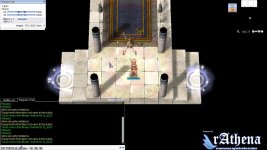
Hi, i have downloaded the old criatura maps (whitout all is black here), but on iz_ac02 i got stuck and my character doesn't walk...

screenDreamflare010.jpg

 
Last edited by a moderator:
Have you run the map-cache.exe before changing the maps?
Uh.. no. But my server run on Debian, there is a equivalent command?

EDIT: Ok, ./mapcache is the correct syntax

Anyway it doesen't worked... Im still stuck on floor

 
Last edited by a moderator:
Uh.. no. But my server run on Debian, there is a equivalent command?

EDIT: Ok, ./mapcache is the correct syntax

Anyway it doesen't worked... Im still stuck on floor
had you declared the grf's with the 'new' maps in the conf/grf-files.conf? aaaaand, you want to rebuild all the cache, because you changed gats of existing cached maps, so just pass the rebuild flag when calling the mapcache. (./mapcache -rebuild)

then, restart your server.

 
Last edited by a moderator:
had you declared the grf's with the 'new' maps in the conf/grf-files.conf? aaaaand, you want to rebuild all the cache, because you changed gats of existing cached maps, so just pass the rebuild flag when calling the mapcache. (./mapcache -rebuild)

then, restart your server.
For now, im using data folder for test purposing. Later will build a .grf for my server.

Anyway, ./mapcache -rebuild option is not working... It say "unknown option"

EDIT: Ok, nevermind, it's ./mapcache --rebuild  :smile:

aaaaand.. it's now working! thanx!!

EDIT2: However some maps it's not been found during the rebuild process. It's normal?

This is my grf-filex.txt

//-----------------------------------------
// GRF Files
// Add as many as needed.
//-----------------------------------------
//grf: C:\Program Files\Gravity\RO\rdata.grf
//grf: C:\Program Files\Gravity\RO\data.grf
grf: /home/hypersonic2097/Documenti/Dreamflare/rdata.grf
grf: /home/hypersonic2097/Documenti/Dreamflare/data.grf

//-----------------------------------------
// Data Directory
// Use the base folder, not the data\ path.
//-----------------------------------------
//data_dir: C:\Program Files\Gravity\RO\
data_dir: /home/hypersonic2097/Documenti/Dreamflare
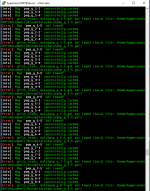
 

Nuova immagine bitmap.png

 
Last edited by a moderator:
That's because those maps where not found in the grf's or data directory (and, if you go there, you might crash for gravity) and seeing the image, are maps that practically no server use

 
Please add your client's data grf files (where the maps are located) and look for map-cache.exe - run it. Make sure your servers are off before doing this. Then rerun after the map-cache has done it's work. The walk-able paths would be updated.

 
Hello how are you? would it be possible to update this script to the current kRO templates?

 
Back
Top