Accident | @fontcolor

anything else different your character could be doing?

I used 2012-04-18 when I made that command and it was working, something else must be acting with it.

attachicon.gif
screenHercules002.jpg
im using 2012-04-18. the other player who see the font color will get the client gravity error[ don't send ]

 
Last edited by a moderator:
Using a fresh last Hercules and it's not showing up, neither crashing o getting error with 1 or 2 characters, you just can't see the message above the head, but it is displayed correctly in the chat.

It seems that every one of us have different issues xDD

 
Last edited by a moderator:
I'm using 2010-07-30 same issue with Fatalis.

 
oh i know why o-o i'll test the fix and commit right away, thank you all for the info o-o

 
Thanks Ind.
 
It works, but right now my problem is that although everybody can see the coloured message above your head, you can't see you own message
default_tongue.png

Is it just me?
 
Thanks Ind.

It works, but right now my problem is that although everybody can see the coloured message above your head, you can't see you own message
default_tongue.png


Is it just me?
something your char does might be causing that -- when I tested before committing the fix it was displaying over my head for me and for others, anything special/different your character did/was doing?
 
Thanks Ind.

It works, but right now my problem is that although everybody can see the coloured message above your head, you can't see you own message
default_tongue.png


Is it just me?
something your char does might be causing that -- when I tested before committing the fix it was displaying over my head for me and for others, anything special/different your character did/was doing?
I just tested it with a clean Hercules, and the default Client from Judas (2012-04-18), and the chat above your head is still not showing up. T_T

 
what color are you using by the way? @fontcolor <what>?

 
hum @_@

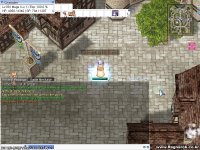
I used 2012-04-18, logged in, typed @fontcolor Orange, said something -> overhead. D: I'm not sure what other condition could be causing it not to work for you hmm o_o (look screenshot below)

screenHercules004.jpg

 
I still couldn't guess whats the issue here, Frost has pmed me about having a similar problem with @fontcolor as well

 
I don't know if it is a server or a client conf related bug. I have tested it in several ways, but without conclusive results.
 
A friend of mine had no error when testing @fontcolor in my server(*), using the same .exe that I use. When I wasn't able to see the chat above my head he was seeing it.
 
 
(*) He just reported me that when @fontcolor was used by himself, the GM sprite suddenly disappeared and, although I was still seeing him with GM outfit.
 
After sending the message is triggered figuratively "@refresh". - Sometimes it works

 
How to fix?
 
Last edited by a moderator:
Back
Top