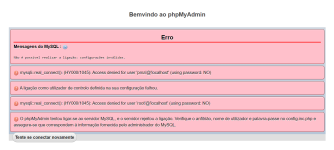
Good afternoon!
I'm probably the worst dev-pretender out there... I really know close to nothing. I'm trying to run my own server following this guide:
Now, for the problems:
1. In step 4 (4a and 4c) I'm not sure what I should do... Should I just copy the content from import-tmld into import and keep the other files, then just paste everything?
2. I did as stated above and soon before step 5 I tried to run the servers... But they don't., as you can see the in the image that follows.
Anyway, I did everything exactly like told in the guide, making the exception for the doubt in the item "1" above. What am I doing wrong?
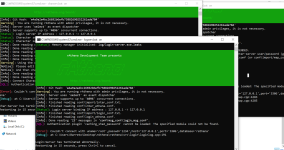
In Hercules I have a different error...
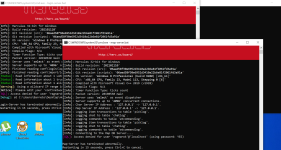
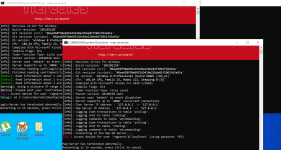
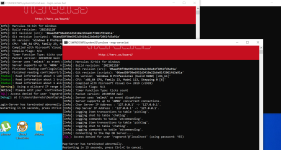
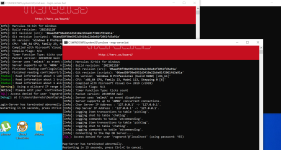
Also, all those are in red in Hercules:
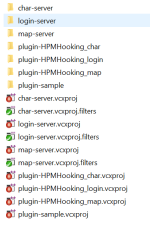
Those are my files in "import" folder from Hercules
View attachment battle.conf
View attachment char-server.conf
View attachment inter-server.conf
View attachment login-server.conf
View attachment logs.conf
View attachment map-server.conf
View attachment msg_conf.txt
View attachment script.conf
View attachment socket.conf
View attachment sql_connection.conf
And those are all my files in "import" folder from rAthena.
View attachment atcommands.yml
View attachment battle_conf.txt
View attachment char_conf.txt
View attachment inter_conf.txt
View attachment inter_server.yml
View attachment log_conf.txt
View attachment login_conf.txt
View attachment map_conf.txt
View attachment packet_conf.txt
View attachment script_conf.txt
I'm probably the worst dev-pretender out there... I really know close to nothing. I'm trying to run my own server following this guide:
Now, for the problems:
1. In step 4 (4a and 4c) I'm not sure what I should do... Should I just copy the content from import-tmld into import and keep the other files, then just paste everything?
2. I did as stated above and soon before step 5 I tried to run the servers... But they don't., as you can see the in the image that follows.
Anyway, I did everything exactly like told in the guide, making the exception for the doubt in the item "1" above. What am I doing wrong?
In Hercules I have a different error...
Also, all those are in red in Hercules:
Those are my files in "import" folder from Hercules
View attachment battle.conf
View attachment char-server.conf
View attachment inter-server.conf
View attachment login-server.conf
View attachment logs.conf
View attachment map-server.conf
View attachment msg_conf.txt
View attachment script.conf
View attachment socket.conf
View attachment sql_connection.conf
And those are all my files in "import" folder from rAthena.
View attachment atcommands.yml
View attachment battle_conf.txt
View attachment char_conf.txt
View attachment inter_conf.txt
View attachment inter_server.yml
View attachment log_conf.txt
View attachment login_conf.txt
View attachment map_conf.txt
View attachment packet_conf.txt
View attachment script_conf.txt