Client Translation Project

Hi zackdreaver,

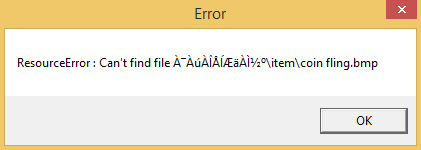
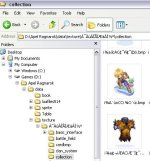
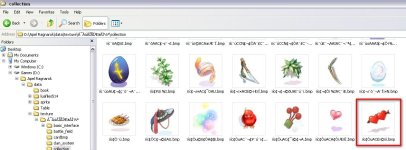
Do you have complete sprite and texture for the Rebellion class? I got a resource error with the Rebellion's 1st Skill Tree. Looking for a missing coin fling.bmp

Other expanded classes seems to be working fine with no errors, only have one for the Rebellion.

Thank you in advance~

 
Hi zack,

This is the exact error I get 

1.png

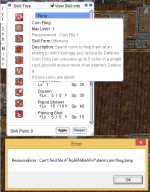
I didn't get this error when I have no skill learned yet but when I use @skillall and check for the 1st Job Skill Tree, it gives me this error. 

2.png

I'm not sure why I'm getting this error :|

 
Last edited by a moderator:
-.- i believe that was my mistake when tried to cleanup skill name

it's error caused by skillinfolist.lub, fling's name

update your GIT, and replace skillinfolist.lub

sorry for the trouble

 
-.- i believe that was my mistake when tried to cleanup skill name

it's error caused by skillinfolist.lub, fling's name

update your GIT, and replace skillinfolist.lub

sorry for the trouble
Thank you, that fixed the error.
default_smile.png


Project update :

  • Added new decompiled lub file
  • Added TXT format for pre-renewal item info
  • Added monstertalktable.xml
  • Added new 3 strongman hairs in iteminfo
  • Added Custom and Official pettalktable.xml (the official now work perfect after i clean it...yay!)
  • Fixed "coin fling.bmp"
  • Added pet Golem pettalktable.xml
  • Fix dancer and bard skills
  • Changed Teleport skill so it more versatile

More info :

Click here

"To use pettalktable with talk different than poring, you need to edit pet_db

and changed talk_convert_class to corresponding Pet ID that present in pettalktable.xml

if there is no succubus in pettalktable.xml you can use Zealotus ID"

 
Last edited by a moderator:
Help! 

Client Data: 2013-08-07
You should have iteminfo.lub in RO/System folder and not in grf ... Make sure you have downloaded iteminfo from repo and put on that folder.
 
@wobin123

I believe that iteminfo.lub is from KRO which is not translated.

You should diff your client with NEMO and select "Load custom lua file instead of iteminfo.lub"

then changed it to "iteminfo.lua" which is translated from our project.

 
Here come the major project update :

  • Added some translation in questid2display
  • Added episode 14.3 gears and misc items
  • Better Inventory Window infos (now we use: Con, Eqp, Etc and Fav)
  • Cleanup pettalktable.XML and monstertalktable.XML
  • Cleanup skill desc on spesific jobs : RK and GX
  • Added new KRO LUB files 2015-02-25 (episode 16.1)
  • Added translated KRO items 2015-02-25
  • Added new book translation 11061
  • Correct Map names translation
  • Update more achievement_list
  • Major cleanup on skill name and description, now we use KRO names. (Please update your skillinfolist, skilldescript, stateiconinfo and MsgString_KR)

Next to do list:

  • Cleanup skill desc on spesific jobs, especially kagerou and oboro

More info :

Click here

 
Last edited by a moderator:
is there a way to use this translation and use another one for  the custom items at same time? and if there are duplicated ids replace them with the custom

 
Last edited by a moderator:
Hello,

I'm using the client 2013-08-07 with updated descriptions from February and a player has reported me an error on FAW Silver Sniper:

150314104406710356.jpg


The skill crashes everybody in the screen. Our client is up to date to the latest kRO so I don't understand why it's doing this bug. Any idea how to solve this ?

Thanks

 
Can't reproduce on 2014-04-16 :

screen_Hercules002.jpg


and 2013-08-07

screenr_Athena000.jpg


@Dastgir what say?

------------------------------------------

i've told @Dastgir

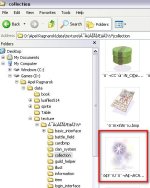
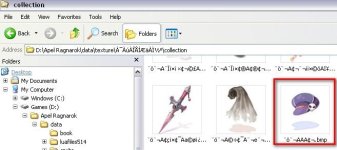
that we should delete "unrelated" files for translation (spr, collection and item)

let server owner find their own official item sprite and picture if it not available in KRO.

and btw we should use "ASCII" for picture folder instead of korean font

 
Back
Top