

timo0o
New member
- Messages
- 22
- Points
- 0
Hi there.
I want to add some Pages to my website (FluxCP).
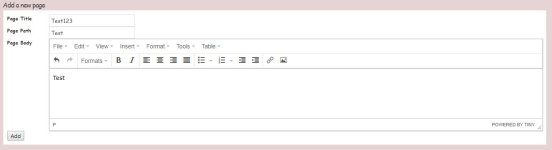
The Pages-Site is Showing up and I can Add a new page:
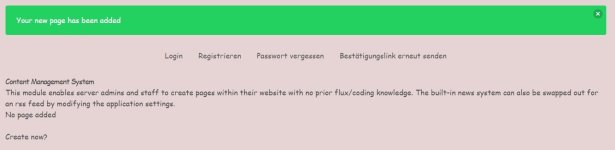
When I click "Add" I've got the message that the page was successfully added, but it's not showing up and was not created as you can see here:
And when I now want to add a page manually (for example add the rules.php to the "pages" folder), i can open it with
https://myro.net/?module=pages&action=rules
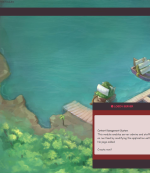
....its even showing up with the content, but only in the left upper of the site and not in the content field:
the rules.php looks like the other php-site files:
<?php
if (!defined('FLUX_ROOT')) exit;
?>
<h2>TEST RULES</h2>
Hi!
I'm using the "hurtfreev2" theme and the fluxcp with build-in cms addon etc. from here: https://github.com/rathena/FluxCP/
But the problem is also there with the default theme!!!
Whats wrong with my fluxCP and how can I fix this?
Thank you
I want to add some Pages to my website (FluxCP).
The Pages-Site is Showing up and I can Add a new page:
When I click "Add" I've got the message that the page was successfully added, but it's not showing up and was not created as you can see here:
And when I now want to add a page manually (for example add the rules.php to the "pages" folder), i can open it with
https://myro.net/?module=pages&action=rules
....its even showing up with the content, but only in the left upper of the site and not in the content field:
the rules.php looks like the other php-site files:
<?php
if (!defined('FLUX_ROOT')) exit;
?>
<h2>TEST RULES</h2>
Hi!
I'm using the "hurtfreev2" theme and the fluxcp with build-in cms addon etc. from here: https://github.com/rathena/FluxCP/
But the problem is also there with the default theme!!!
Whats wrong with my fluxCP and how can I fix this?
Thank you
Last edited by a moderator:

