
You are using an out of date browser. It may not display this or other websites correctly.
You should upgrade or use an alternative browser.
You should upgrade or use an alternative browser.
[Guide] How to setup hercules
- Thread starter Patskie
- Start date
arisgamers
New member
- Messages
- 173
- Points
- 0
- Github
- arisgamers
- Emulator
I am using MariaDB and HeidiSQL for GUI.
What do you mean by lost ?
What do you mean by lost ?

arisgamers
New member
- Messages
- 173
- Points
- 0
- Github
- arisgamers
- Emulator
I used MySQL 5.6 + workbench 6.1 prior changed it to MariaDB.
The graphical interface is different but that shouldn't be a problem.
After you installed Workbench you should have a connection named "root", it can be seen in first interface.
You can open it by double clicking it, then you can make "hercules" & "log" schema, and follow the rest of the guide.
The graphical interface is different but that shouldn't be a problem.
After you installed Workbench you should have a connection named "root", it can be seen in first interface.
You can open it by double clicking it, then you can make "hercules" & "log" schema, and follow the rest of the guide.
arisgamers
New member
- Messages
- 173
- Points
- 0
- Github
- arisgamers
- Emulator
sound like your server failed to connect to mysql database.
Check these :
1. Patskie's step 2-4 :
in confchar-server.conf :
in confmap-server.conf :
Those userid & password must be match with the one in login database
(Patskie's step 31, you should change s1 & p1 to whatever in your char-server.conf & map-server.conf)
2. from Patskie's step 11 :
make sure in MySQL Workbench you have user with same name and password with those part from your confinter-server.conf (which written in bold)
Check these :
1. Patskie's step 2-4 :
in confchar-server.conf :
// Server Communication username and password.
userid: patskie
passwd: patskie
userid: patskie
passwd: patskie
in confmap-server.conf :
// Interserver communication passwords, set in account.txt (or equiv.)
userid: patskie
passwd: patskie
userid: patskie
passwd: patskie
Those userid & password must be match with the one in login database
(Patskie's step 31, you should change s1 & p1 to whatever in your char-server.conf & map-server.conf)
2. from Patskie's step 11 :
// Global SQL settings
// overriden by local settings when the hostname is defined there
// (currently only the login-server reads/obeys these settings)
sql.db_hostname: 127.0.0.1
sql.db_port: 3306
sql.db_username: root
sql.db_password: ragnarok
sql.db_database: hercules
sql.codepage:
// MySQL Character SQL server
char_server_ip: 127.0.0.1
char_server_port: 3306
char_server_id: root
char_server_pw: ragnarok
char_server_db: hercules
// MySQL Map SQL Server
map_server_ip: 127.0.0.1
map_server_port: 3306
map_server_id: root
map_server_pw: ragnarok
map_server_db: hercules
// MySQL Log SQL Database
log_db_ip: 127.0.0.1
log_db_port: 3306
log_db_id: root
log_db_pw: ragnarok
log_db_db: log
log_codepage:
log_login_db: loginlog
// overriden by local settings when the hostname is defined there
// (currently only the login-server reads/obeys these settings)
sql.db_hostname: 127.0.0.1
sql.db_port: 3306
sql.db_username: root
sql.db_password: ragnarok
sql.db_database: hercules
sql.codepage:
// MySQL Character SQL server
char_server_ip: 127.0.0.1
char_server_port: 3306
char_server_id: root
char_server_pw: ragnarok
char_server_db: hercules
// MySQL Map SQL Server
map_server_ip: 127.0.0.1
map_server_port: 3306
map_server_id: root
map_server_pw: ragnarok
map_server_db: hercules
// MySQL Log SQL Database
log_db_ip: 127.0.0.1
log_db_port: 3306
log_db_id: root
log_db_pw: ragnarok
log_db_db: log
log_codepage:
log_login_db: loginlog
make sure in MySQL Workbench you have user with same name and password with those part from your confinter-server.conf (which written in bold)

arisgamers
New member
- Messages
- 173
- Points
- 0
- Github
- arisgamers
- Emulator
You are doing some mistake when creating database, your database are not created.
This is copied from patskie guide above (I add some hint for workbench 6.1 in bold note):
I hope this can help.
This is copied from patskie guide above (I add some hint for workbench 6.1 in bold note):
9. Open mysql workbench
20. Add user and password into it. Follow this guide. Make sure you set username as root and password as ragnarok because this is the credentials located on your conf/inter-server.conf
21. Create a server instance and connection. Just click New Connection for creating connection and click New Server Instance for creating a new server instance everything there are self explanatory
Note : This is in the first interface (interface with mostly black color), usually you have root connection by default, you can use it.
22. More likely you must have the following : (different interface)
23. At the left portion of the application.
Note : at left bottom of the application, usually with mysql, information_schema, performance_schema, test (if you install sample and example will have Sakila and World as addition).
You can see schemas.
Right click on one of them (test schema) and click on create schema
24. Set the name of the schema to hercules because that is the credential we put in our inter-server
25. Create also a schema log
26. Double click hercules schema
Note : make sure hercules schema in bold
27. Under file located at the bottom of the home button ( upper left to be exact ) click Open SQL Script and locate sql script on sql-files/main.sql,
open it and execute ( you can find execute button at the upper portion
of the text editor of mysql workbench it looks like a thunder xD )
Note : button position can be different, but they have same name.
NB : At this point you should have all table needed in hercules schema, check it in mysql data directory (hercules folder). It should have some file with frm, MYD, MYI extension
28. Double click log schema
Note : make sure log schema in bold
29. Under file located at the bottom of the home button ( upper left to be exact ) click Open SQL Script and locate sql script on sql-files/logs.sql,
open it and execute ( you can find execute button at the upper portion
of the text editor of mysql workbench it looks like a thunder xD )
Note : Same way with step 27
NB : At this point you should have all table needed in log schema, check it in mysql data directory (log folder).
30. Once everything is set double click again hercules schema
31. Execute the following code
SELECT * FROM login;
32. Change userid, user_pass to the credentials you have put on both char-server and map-server.conf
33. Click apply.
20. Add user and password into it. Follow this guide. Make sure you set username as root and password as ragnarok because this is the credentials located on your conf/inter-server.conf
21. Create a server instance and connection. Just click New Connection for creating connection and click New Server Instance for creating a new server instance everything there are self explanatory
Note : This is in the first interface (interface with mostly black color), usually you have root connection by default, you can use it.
22. More likely you must have the following : (different interface)
23. At the left portion of the application.
Note : at left bottom of the application, usually with mysql, information_schema, performance_schema, test (if you install sample and example will have Sakila and World as addition).
You can see schemas.
Right click on one of them (test schema) and click on create schema
24. Set the name of the schema to hercules because that is the credential we put in our inter-server
25. Create also a schema log
26. Double click hercules schema
Note : make sure hercules schema in bold
27. Under file located at the bottom of the home button ( upper left to be exact ) click Open SQL Script and locate sql script on sql-files/main.sql,
open it and execute ( you can find execute button at the upper portion
of the text editor of mysql workbench it looks like a thunder xD )
Note : button position can be different, but they have same name.
NB : At this point you should have all table needed in hercules schema, check it in mysql data directory (hercules folder). It should have some file with frm, MYD, MYI extension
28. Double click log schema
Note : make sure log schema in bold
29. Under file located at the bottom of the home button ( upper left to be exact ) click Open SQL Script and locate sql script on sql-files/logs.sql,
open it and execute ( you can find execute button at the upper portion
of the text editor of mysql workbench it looks like a thunder xD )
Note : Same way with step 27
NB : At this point you should have all table needed in log schema, check it in mysql data directory (log folder).
30. Once everything is set double click again hercules schema
31. Execute the following code
SELECT * FROM login;
32. Change userid, user_pass to the credentials you have put on both char-server and map-server.conf
33. Click apply.
I hope this can help.
Last edited by a moderator:
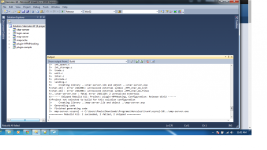
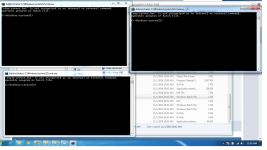
I could use some assistance.
I'm guessing that I did something wrong either when editing the .conf files, or perhaps I don't have the user set to the right name... I tried messing around with it for a while, only to be met with failure. So... Any assistance in fixing this? Please?
Edit: Managed to fix the issue with some help from the IRC.
Upon attempting step 31 of the tutorial, this happened: Error Code: 1146. Table "hercules.login" doesn't exist

Edit: Managed to fix the issue with some help from the IRC.
Last edited by a moderator:

milk
New member
No, Hercules and *athena works only with MySQL.would it be possible to use MsSQL instead of MySQL?
Locaylocay18
New member
- Messages
- 2
- Points
- 0
- Github
- Locaylocay
The guide at number 20 is "page not found"
20. Add user and password into it. Follow this guide. Make sure you set username as root and password as ragnarok because this is the credentials located on your conf/inter-server.conf
Thank you I finished working with my server side.

and now how can I make the client side. ?
can I use this client ? http://www.nickyzai.com/?p=kro
P.s I try to make client many time but can't connect server to client

and now how can I make the client side. ?
can I use this client ? http://www.nickyzai.com/?p=kro
P.s I try to make client many time but can't connect server to client
Last edited by a moderator:
Dastgir
Core Developer
- Messages
- 3,805
- Points
- 0
- Discord
- Dastgir#1460
- IRC Nickname
- Dastgir
- Github
- dastgirp
- Emulator
- Client Version
- 2019-02-28 RE
kRO is must,After kRO, you need translation files(https://github.com/ROClientSide/Translation) and a client of your own preferable date.Thank you I finished working with my server side.
and now how can I make the client side. ?
can I use this client ? http://www.nickyzai.com/?p=kro
P.s I try to make client many time but can't connect server to client
If you can let us know what error you having, we might be able to help you better.
Locaylocay18
New member
- Messages
- 2
- Points
- 0
- Github
- Locaylocay
@patskie, will you please update the #20 guide. Thanks.