kRO 2013 Client Set-Up
Prepared by: Tian
Date Created: July 09, 2013
Version: 1.0
Table of Contents
- Pre-Requisite Items
- Client Set-Up Instructions
- Additional Info
- Known Issues
- Credits & References
I. Pre-Requisite Items:
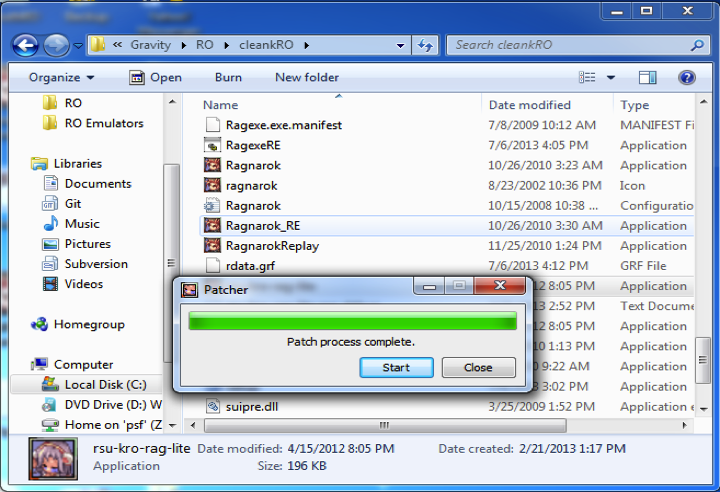
- clean kRO folder (make sure it’s fully patched!)
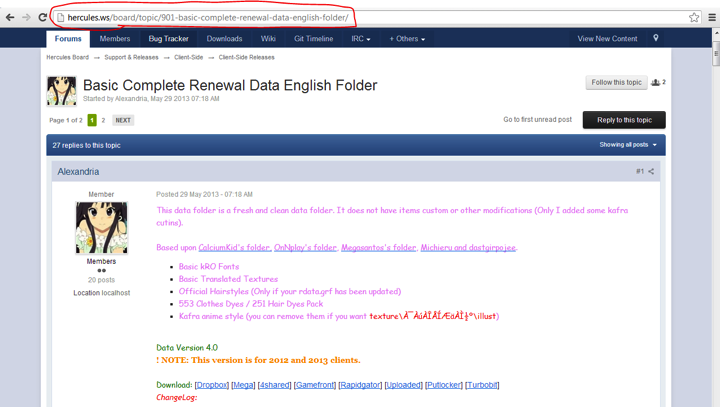
- Updated Data Folder/System Folder (Download the latest Data Folder)
- Download luatolub.bat from:
http://www.mediafire.com/download/jvtac0j8f6m604v/luatolub.bat
II. Client Set-Up Instructions
1. Copy your Clean KRO Folder (to back-up your kRO)
2. Extract and Copy the Contents of Data Folder v4(or latest rev) to the clean kRO Folder
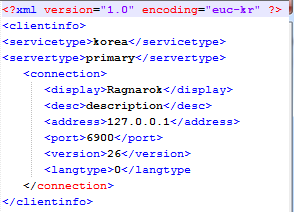
3. Open kRO/data/clientinfo.xml update the code
Search <servertype></servertype> Set it to primary Search <langtype></langtype> Set it to 0
Sample:
4. Edit the trunk >Hercules/src/common/mmo.h then build the solutions
Search #define PACKETVER YYYYMMDD And match it with the date version you choosed for your client ex: #define PACKETVER 20130522 Clean and re-build the solution of your emulator after it !!!
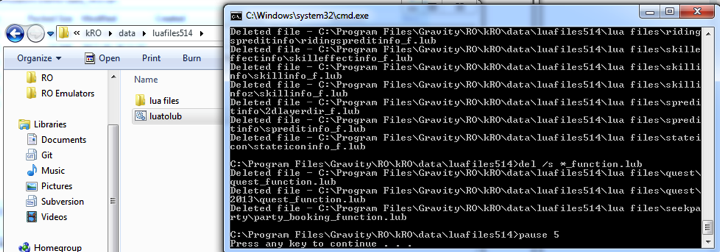
5. Place luatolub.bat inside the kRO/data/luafiles514 and run it to convert the luas to lub
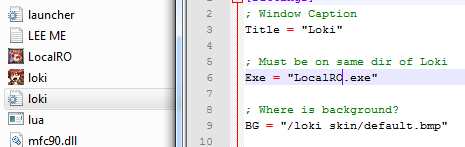
6. Copy and paste the launcher to the kRO folder (loki.exe, loki.ini, loki skin folder) from the
Demo Package
7. Copy and paste the Client.exe to the kRO folder (LocalRO.exe) from the
Demo Package
8. Open the file kRO/savedata/OptionInfo.lua and change the code to: (If no file exists, create one)
CmdOnOffList = { ["/battlemode"] = 0, ["/notrade"] = 0, ["/noshift"] = 0, ["/noctrl"] = 1, ["/skillfail"] = 1, ["/notalkmsg"] = 0, ["/notalkmsg2"] = 0, ["/showname"] = 1, ["/fog"] = 1, ["/aura"] = 1, ["/window"] = 0, ["/miss"] = 1, ["/q1"] = 0, ["/q2"] = 0, ["/effect"] = 1, ["/bgm"] = 1, ["/sound"] = 1, ["/loginout"] = 1, ["/shopping"] = 1, ["/stateinfo"] = 1, ["/snap"] = 0, ["/itemsnap"] = 0, ["/skillsnap"] = 1, ["/hoai"] = 0, ["/merai"] = 0, ["/camera"] = 0, ["/btg"] = 1, ["/lightmap"] = 1}OptionInfoList = { Window_XPos = -1, Window_YPos = -1, Trilinear = 0, Bgm_Volume = 100, Effect_Volume = 100, AutoOpen1to1Window = 1, AutoOpen1to1Window_Friend = 1, PlaySound_Open1to1Window = 1, Simplicity_SkillList = 0, Show_SkillDescript = 0, ChangeChatMode = 1, LockMouse = 0, ChannelCopID = 0, Outdoor_ViewLatitude = -45, Outdoor_ViewDistance = 400, Indoor_ViewLatitude = -45, Indoor_ViewDistance = 300, SkinName = "<Basic Skin>", MouseExclusive = 1, WIDTH=800, HEIGHT=600, BITPERPIXEL=16}
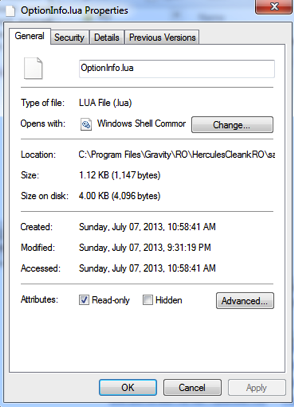
9. Right-Click the OptionInfo.lua and click on Properties, tick the Read-Only option
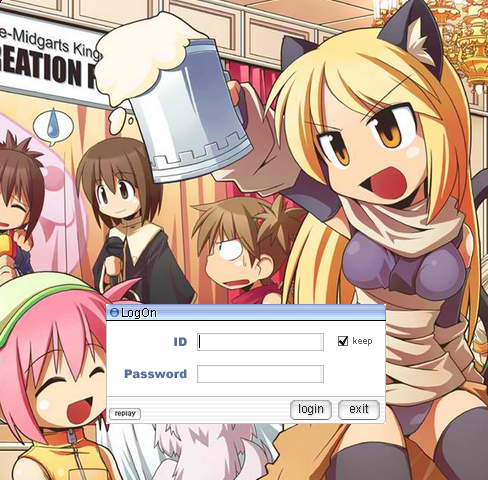
10. Run the server and open loki.exe(the launcher) and log-in
CREDITS & REFERENCES:
1. Credits to
Shakto for the Guide:
http://herc.ws/board/topic/630-2013-ragexe-and-diff-up-to-date-2013-07-03/
2. Credits to
Alexandria for the Data Folder:
http://herc.ws/board/topic/901-basic-complete-renewal-data-english-folder/
3. Credits to
mleo1 for the Loki Launcher:
http://herc.ws/board/topic/1070-loki-launcher/
4. Credits to
zackdreaver for the Client SetUp revert issue fix:
http://herc.ws/board/topic/1409-client-set-up-not-saving/
Notes:
Suggestions are welcome in order to make the guide more easier to follow and to make it more accurate. Thanks
Not Included in the Guide but options:
1. Client-Diffing
2. ROCred (alternative to loki)