
You are using an out of date browser. It may not display this or other websites correctly.
You should upgrade or use an alternative browser.
You should upgrade or use an alternative browser.
[HELP] Changing some Korean txt upon logging in.
- Thread starter Luffy
- Start date



X-EcutiOnner
New member
- Messages
- 53
- Points
- 0
- Discord
- X-EcutiOnner#8371
- Github
- X-EcutiOnner
- Emulator
- Client Version
- Last of us...
data -> msgstringtable.txt at row 3458 replaced with only #
Thanks it works..data -> msgstringtable.txt at row 3458 replaced with only #
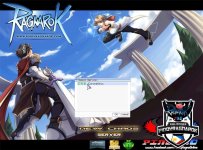
This one bro? you've got any idea about change this one to English? LOW (Green)
Last edited by a moderator:
X-EcutiOnner
New member
- Messages
- 53
- Points
- 0
- Discord
- X-EcutiOnner#8371
- Github
- X-EcutiOnner
- Emulator
- Client Version
- Last of us...
Open it with Notepad++ see encoding is ANSI or not, if not you can use menu Encoding -> Convert to ANSI (Only Eng can use UTF8).This one bro? you've got any idea about change this one to English? LOW (Green)
Make sure in your (s)clientinfo.xml setting in true lang <langtype>XXX</langtype> Pinoy can set to 7 (can see in https://rathena.org/board/topic/120145-2018-09-19aregexe-problem/#comment-366930)
Server Status you can edit at line 3262 - 3265
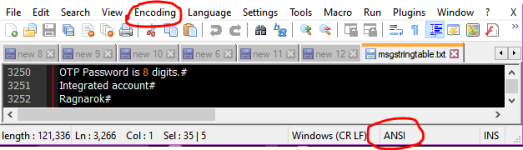
Last edited by a moderator:
ahh i see the problem is only on my msgstringtable. its all okay now. thanks bro helped alot.Open it with Notepad++ see encoding is ANSI or not, if not you can use menu Encoding -> Convert to ANSI (Only Eng can use UTF8).
Make sure in your (s)clientinfo.xml setting in true lang <langtype>XXX</langtype> Pinoy can set to 7 (can see in https://rathena.org/board/topic/120145-2018-09-19aregexe-problem/#comment-366930)
Server Status you can edit at line 3262 - 3265
View attachment 5790