[HELP] Special Effect like AMPLIFY MAGIC POWER

Amalgam

New member
Messages
42
Points
0
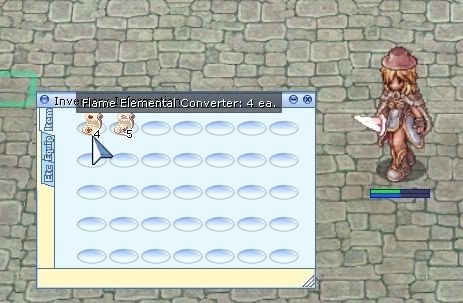
Can anybody help me. I've been figuring out how to put this effect when they used this Fire elemental scroll. The effect is from Amplify Magic Power. I want the equipment animation with shining effect.

screenAelfortExeRO013_zps64e428c2.jpg


You could look inside doc/effect_list.txt for the list of effects you can use,

and just add the specialeffect command in the item script,
default_smile.png


*specialeffect <effect number>{,<send_target>{,"<NPC Name>"}};
 
This command will display special effect with the given number, centered 
on the specified NPCs coordinates, if any. For a full list of special 
effect numbers known see 'doc/effect_list.txt'. Some effect numbers are 
known not to work in some client releases. (Notably, rain is absent from 
any client executables released after April 2005.)
 
<NPC name> parameter will display <effect number> on another NPC. If the 
NPC specified does not exist, the command will do nothing. When specifying 
an NPC, <send_target> must be specified when specifying an <NPC Name>, 
specifying AREA will retain the default behavior of the command.
 
// this will make the NPC "John Doe#1"
// show the effect "EF_HIT1" specified by
// Jane Doe. I wonder what John did...
mes "[Jane Doe]";
mes "Well, I never!";
specialeffect EF_HIT1,AREA,"John Doe#1";
close;
*specialeffect2 <effect number>{,<send_target>{,"<Player Name>"}};
 
This command behaves identically to the 'specialeffect', but the effect 
will be centered on the invoking character's sprite.
 
<Player name> parameter will display <effect number> on another Player 
than the one currently attached to the script. Like with specialeffect, 
when specifying a player, <send_target> must be supplied, specifying AREA 
will retain the default behavior of the command.
 
I tried looking but can't find magic amplify effect, maybe you could look on something similar by using the @effect command in game
default_biggrin.png


Back
Top