
Hello Herc community,
Today I want to share with you a VS Code extension to support Hercules Script Language. If you don't know about it, VS Code is a free, open-source, multi platform code editor made by Microsoft, but it was lacking a nice support for writting hercules scripts. I have been working on this extension for some time now during my free time, and it is still in an early stage and quite buggy, but also it is in a point where getting tests, feedback and bug reports would be really helpfull.
GitHub repo: https://github.com/guilherme-gm/vscode-herc-lang-support
You can get the latest release from the Release section and install it by using the following command on your terminal / command prompt:
vscode --install-extension hercules-script-support-<version>.vsix
For example, for version 0.3.1:
vscode --install-extension hercules-script-support-0.3.1.vsix
Features
The extension brings the following features (NOTE: I'll probably forget to update this topic, so you may want to check the repo README for the current list of features)
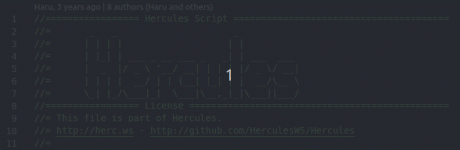
- Syntax Highlighting
VS Code syntax highlighting allows to use any theme you want, so you can simply change your theme (or even make your own).
- Code Snipppets / Macros
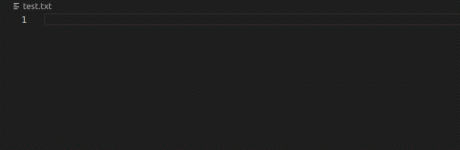
These are small pieces of code ready to be used, for example, if you may type npc-script and press TAB to get an npc header. Currently it supports script npc, warps and functions, but I plan to add more in the future (I'm open for suggestions). Check the github repo for the entire list of snippets.
- Auto Complete and Signature Help
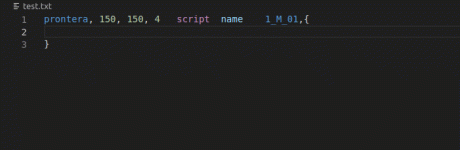
While coding, you may get help from the auto-complete feature, it will give you the list of script commands and variables (with some limitations). Also, selecting a command will show its documentation and once you get the command into your text and open its parameter list with '(', you will start getting help with the current parameter. The documentation is still quite bad as I autogenerated it from script_commands.txt, and only a couple commands were hand-made.
NOTE: It probably only works on scripts following the new standard for script commands, i.e. they must have parenthesis.
- Error Checking
NOTE: This feature requires additional setup (check github repo for up to date info on this setup)
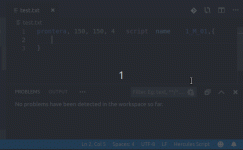
When saving your script, VS Code will invoke your map-server in a script-check mode (thanks Herc devs for this feature!) and will retrieve all errors reported by it, showing them on the problems tab of VS Code and adding a small red underscore bellow the wrong line.
- More to Come
As said before, the extension is still in an early stage, and the VS Code API gives a lot of other possibilities that I plan to implement at some point.
Bug Reports / Feature Request
Have you found a bug? want to suggest a new feature? Please open an issue on my github repo so I can keep track of them. I will give higher priority to fixing bugs and will try, as long as possible, to implement requested features.
That's all for now, I hope you enjoy
Today I want to share with you a VS Code extension to support Hercules Script Language. If you don't know about it, VS Code is a free, open-source, multi platform code editor made by Microsoft, but it was lacking a nice support for writting hercules scripts. I have been working on this extension for some time now during my free time, and it is still in an early stage and quite buggy, but also it is in a point where getting tests, feedback and bug reports would be really helpfull.
GitHub repo: https://github.com/guilherme-gm/vscode-herc-lang-support
You can get the latest release from the Release section and install it by using the following command on your terminal / command prompt:
vscode --install-extension hercules-script-support-<version>.vsix
For example, for version 0.3.1:
vscode --install-extension hercules-script-support-0.3.1.vsix
Features
The extension brings the following features (NOTE: I'll probably forget to update this topic, so you may want to check the repo README for the current list of features)
- Syntax Highlighting
VS Code syntax highlighting allows to use any theme you want, so you can simply change your theme (or even make your own).
- Code Snipppets / Macros
These are small pieces of code ready to be used, for example, if you may type npc-script and press TAB to get an npc header. Currently it supports script npc, warps and functions, but I plan to add more in the future (I'm open for suggestions). Check the github repo for the entire list of snippets.
- Auto Complete and Signature Help
While coding, you may get help from the auto-complete feature, it will give you the list of script commands and variables (with some limitations). Also, selecting a command will show its documentation and once you get the command into your text and open its parameter list with '(', you will start getting help with the current parameter. The documentation is still quite bad as I autogenerated it from script_commands.txt, and only a couple commands were hand-made.
NOTE: It probably only works on scripts following the new standard for script commands, i.e. they must have parenthesis.
- Error Checking
NOTE: This feature requires additional setup (check github repo for up to date info on this setup)
When saving your script, VS Code will invoke your map-server in a script-check mode (thanks Herc devs for this feature!) and will retrieve all errors reported by it, showing them on the problems tab of VS Code and adding a small red underscore bellow the wrong line.
- More to Come
As said before, the extension is still in an early stage, and the VS Code API gives a lot of other possibilities that I plan to implement at some point.
Bug Reports / Feature Request
Have you found a bug? want to suggest a new feature? Please open an issue on my github repo so I can keep track of them. I will give higher priority to fixing bugs and will try, as long as possible, to implement requested features.
That's all for now, I hope you enjoy
Last edited by a moderator:


