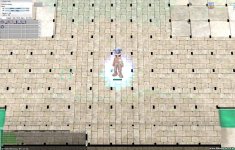
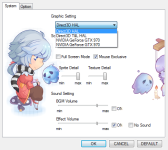
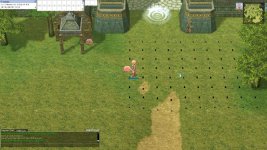
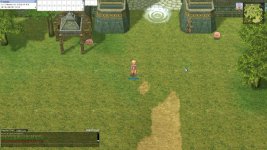
With the latest Maxwell GPU's you have this issue. I have come across this too and the few workarounds that are available don't work for me any more.
One thing that does work, but doesn't enhance the graphical quality is using /lightmap but all the textures and sprites are still horrible compared to your previous graphic card.
If your client crashes on full-screen notifications/programs, then the following won't work:
- Enable/Use the UAC pop-up with screen dimming to refresh your client's interface, just open your game client a second time and press no instead of yes.
- Lock windows and log back in (Windows + L), same effect as above.
If you client crashes, it doesn't work for it. Previously I was able to do it with my client that way, but that suddenly stopped for some reason. Could be driver update or an alteration to the client.
A thorough solution for this issue with new graphic cards has yet to be found, even on the iRO forums no real solution is given and people downgraded their hardware to play RO decently again (quite silly).
EDIT: Forgot to mention, enable NVidia's Shadowplay before you launch the client if the above doesn't work, that helped me a little, but still isn't as it previously was.