

GraD0s
New member
- Messages
- 4
- Points
- 0
1. Login to to VPS via SSH and install gnome
3. To make VNC start automatic after reboot. Use this commands.
4. Make password for you VNC server. Enter password and Verify.
7. Lastly start and restart VNC with this command.

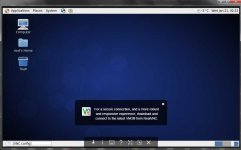
To connect to your GUI GNOME please use VNC Viewer.
Download from Here : VNC Viewer
and insert YOUIPVPS:1 and vnc password you create early.
2. install Vnc Server,Nano Editor and Font.sudo yum groupinstall Desktop
Confirm with ( Y )sudo yum install nano
sudo yum install tigervnc-server
sudo yum install xorg-x11-fonts-Type1
3. To make VNC start automatic after reboot. Use this commands.
sudo chkconfig vncserver on
4. Make password for you VNC server. Enter password and Verify.
5. Now set resolution and user on you VNC server. Edit using nano or another editor.vncpasswd
save and exit. Then restart VNC.nano /etc/sysconfig/vncservers
Copy/Paste this code at last line.
VNCSERVERS="1:root"
VNCSERVERARGS[1]="-geometry 1024x600"
6. To enter GUI GNOME when startup. Kill VNC service first.service vncserver restart
at the last line, put # on "twm &" and add this code "exec gnome-session &"vncserver -kill :1
and edit this file.
nano .vnc/xstartup
save and exit.#twm &
exec gnome-session &
7. Lastly start and restart VNC with this command.
Doneservice vncserver start
service vncserver restart
To connect to your GUI GNOME please use VNC Viewer.
Download from Here : VNC Viewer
and insert YOUIPVPS:1 and vnc password you create early.
Last edited by a moderator:


