kRO unpacked clients releases

Status
Not open for further replies.
@Asheraf By any chance, why are these numbers appearing? He changes numbers every time he relogs...

Obs: I've already looked at msgstringtable. I tried to change again for what you use Git, and also tried to use Zack's


You need to make sure the msgstringtable is saved in the correct encoding of whatever language used in there, for example if you're using the one from my repository you have to save it as EUC-KR unless you translated everything. (ps: im keeping it UTF-8 in the repo so its readable in the github diffs)

a8a7768150c2409.png


You need to make sure the msgstringtable is saved in the correct encoding of whatever language used in there, for example if you're using the one from my repository you have to save it as EUC-KR unless you translated everything. (ps: im keeping it UTF-8 in the repo so its readable in the github diffs)

a8a7768150c2409.png
I use ANSI, so the text accents work in langtype 12 (brazil)

 
Everyone is not having the same issue like mine. but I use the updated clean KRO.

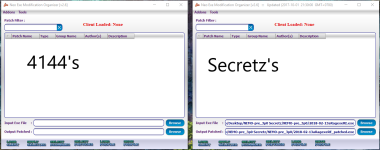
and I'm using Secrets NEMO and 4144's recommended NEMO. I revert back to 2017 client still on very small fonts.

Also did KRO removes the Booking button on RO Menu?

Additional Bug Encountered: OptionData is not Saving when you open a new client session.

Sharing these problems I encountered. 
In some aspects. 2018 runs perfectly but still has a lot of bugs that I didn't encounter yet.

Thanks for the heads up everyone especially @4144, @Ridley 

Patch Used:

NEMO.png

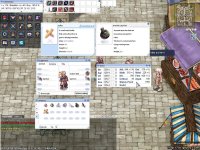
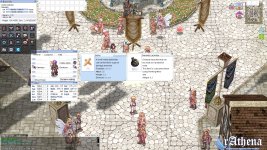
screenrAthena001.jpg
Regarding to these/this Matter.
I already found out the problem it seems the langtype 2018 clients only accepts is 0.

coz' if I tried to use Langtype 1 on a Patched 2018 Client and error occurs ("nil val something")

and it seems the custom clientinfo.xml patch on NEMO doesn't work on 2018 Client.

too much bug and errors on the new clients. if you're planning to release this on public it wont be an advisable decision.
if you want stability use client dates under 2016. as of now I currently tinkering on 2017-05-17 seems less buggy.

Thanks for the Info everyone.

 
Regarding to these/this Matter.
I already found out the problem it seems the langtype 2018 clients only accepts is 0.

coz' if I tried to use Langtype 1 on a Patched 2018 Client and error occurs ("nil val something")

and it seems the custom clientinfo.xml patch on NEMO doesn't work on 2018 Client.

too much bug and errors on the new clients. if you're planning to release this on public it wont be an advisable decision.
if you want stability use client dates under 2016. as of now I currently tinkering on 2017-05-17 seems less buggy.

Thanks for the Info everyone.
langtype 1

screenRevelesticRO000.jpg


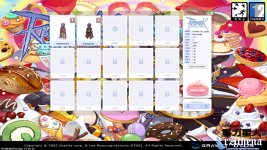
screenRevelesticRO001.jpg


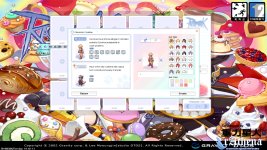
screenRevelesticRO002.jpg
 
@melv0 private servers i think will works fine.

For kro need use windows vm for login. And only test server will works (ragexeRE)

 
Someone can help me? My client just accept the original itemInfo_Sak.lub(korea items). If a put my itemInfo_Sak.lub with translated items (pt-br) appears this error:

prnGdss.png
fySAzsM.png
HOUL5kP.png
Hexed 2018-01-24b.

 
You need use this: https://github.com/Asheraf/Translation

Diff your client to read custom lua instead lub, it's better,
Yeah, i know and i use this system/data folder. But, unfortunately with or without this diff, the error appears. Just works with the original itemInfo(kr).

8 Custom Window Title
9 Disable 1rag1 type parameters (Recommended)
13 Disable Ragexe Filename Check (Recommended)
23 Enable /who command (Recommended)
24 Fix Camera Angles (Recommended)
30 Increase Zoom Out 50%
33 Always Call SelectKoreaClientInfo() (Recommended)
34 Enable /showname (Recommended)
36 Read msgstringtable.txt (Recommended)
37 Read questid2display.txt (Recommended)
38 Remove Gravity Ads (Recommended)
39 Remove Gravity Logo (Recommended)
40 Restore Login Window (Recommended)
41 Disable Nagle Algorithm (Recommended)
44 Translate Client (Recommended)
46 Use Normal Guild Brackets (Recommended)
47 Use Ragnarok Icon
48 Use Plain Text Descriptions (Recommended)
49 Enable Multiple GRFs (Recommended)
53 Use Ascii on All LangTypes (Recommended)
64 @ Bug Fix (Recommended)
65 Load Custom lua file instead of iteminfo*.lub (Recommended)
84 Remove Serial Display (Recommended)
90 Enable DNS Support (Recommended)
97 Cancel to Login Window (Recommended)
106 Hide BG Button
108 Hide Booking Button
110 Hide Achievements Button
208 Restore Cash Shop Icon
213 Disable Help Message on Login (Recommended)
233 Hide SNS Button
I don't have another error, just this one.

 
What the..... 

I use @Asheraf's Recommended Data Folder
Client Date: 22018-02-13aRagexeRE
@4144's NEMO

Updated Hercules
Latest Updated KRO From Here: 


and the small fonts wont go away. man! Hahahahaha 
1. go to "data/luafiles514/lua files/"

2. copy folder service_korea then rename to service_usa

3. go to inside folder then rename file to externalsettings_usa.lub

*this step just for lantype 1

 
Yeah, i know and i use this system/data folder. But, unfortunately with or without this diff, the error appears. Just works with the original itemInfo(kr).

8 Custom Window Title
9 Disable 1rag1 type parameters (Recommended)
13 Disable Ragexe Filename Check (Recommended)
23 Enable /who command (Recommended)
24 Fix Camera Angles (Recommended)
30 Increase Zoom Out 50%
33 Always Call SelectKoreaClientInfo() (Recommended)
34 Enable /showname (Recommended)
36 Read msgstringtable.txt (Recommended)
37 Read questid2display.txt (Recommended)
38 Remove Gravity Ads (Recommended)
39 Remove Gravity Logo (Recommended)
40 Restore Login Window (Recommended)
41 Disable Nagle Algorithm (Recommended)
44 Translate Client (Recommended)
46 Use Normal Guild Brackets (Recommended)
47 Use Ragnarok Icon
48 Use Plain Text Descriptions (Recommended)
49 Enable Multiple GRFs (Recommended)
53 Use Ascii on All LangTypes (Recommended)
64 @ Bug Fix (Recommended)
65 Load Custom lua file instead of iteminfo*.lub (Recommended)
84 Remove Serial Display (Recommended)
90 Enable DNS Support (Recommended)
97 Cancel to Login Window (Recommended)
106 Hide BG Button
108 Hide Booking Button
110 Hide Achievements Button
208 Restore Cash Shop Icon
213 Disable Help Message on Login (Recommended)
233 Hide SNS Button
I don't have another error, just this one.
You can't use the iteminfo from bRO, you need use that iteminfo from the Ash, because it has a new structure and the iteminfo from the bRO is outdated.

The error "8th argment" is because you're trying to use an old iteminfo with an old structure.

So try use the original iteminfo from the Ash and diff your client to read the System/itemInfo.lua and it should work.

 
Last edited by a moderator:
1. go to "data/luafiles514/lua files/"

2. copy folder service_korea then rename to service_usa

3. go to inside folder then rename file to externalsettings_usa.lub

*this step just for lantype 1
man.. that's what I'm missing then I've been tinkering the data folder for 3 straight days. I'm gonna try this later when I got home. thanks for the info man.

 
You can't use the iteminfo from bRO, you need use that iteminfo from the Ash, because it has a new structure and the iteminfo from the bRO is outdated.

The error "8th argment" is because you're trying to use an old iteminfo with an old structure.

So try use the original iteminfo from the Ash and diff your client to read the System/itemInfo.lua and it should work.
I tried to use the iteminfo(lub/lua) from the Ash, but still happening the same error.

And yes, i diff my client to read the system/iteminfo.lua, just like what you said.

to6NgfE.png


Thats my system folder! 
I've tried to use other hexed, the iteminfo error doesn't appears, but appears another error:

HFhSBpJ.png
Hexeds above 2018-01-24 have no iteminfo error.

Honestly, i know no what is going on.

 
I tried to use the iteminfo(lub/lua) from the Ash, but still happening the same error.

And yes, i diff my client to read the system/iteminfo.lua, just like what you said.

to6NgfE.png


Thats my system folder! 
I've tried to use other hexed, the iteminfo error doesn't appears, but appears another error:

HFhSBpJ.png
Hexeds above 2018-01-24 have no iteminfo error.

Honestly, i know no what is going on.
Because new versions use the iteminfo with the new structure (8th argument).
Try use the lua files (inside your data.grf or data folder) from the Ash, but I don't know if it'll work.

I was getting this problem and I've solved using the iteminfo from the Ash.

 
Status
Not open for further replies.
Back
Top