DeesT
New member
- Messages
- 25
- Points
- 0
Hello everyone, Hello Hercules Community.
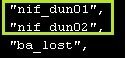
Recently, maps nif_dun01 and nif_dun02 have been added to the KRO.
and I was particularly in love with them, because I really like the Nifheim theme...
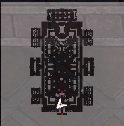
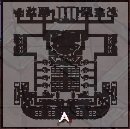
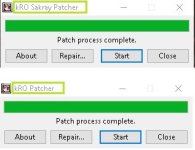
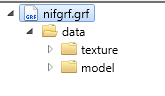
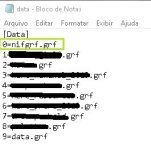
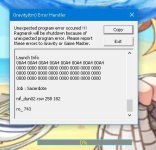
When trying to add the these maps, I always encounter a Textures / Models error and right after this i receive one Gravity Error.
so I went to find the solution to this problem and try to solve it in all ways ...
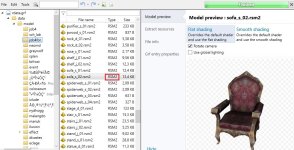
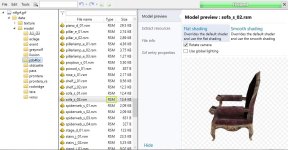
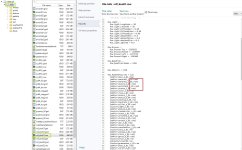
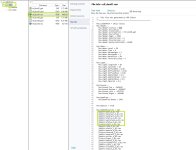
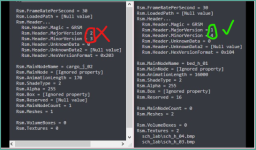
I encountered the following problem: all Model files that are used on these maps have the RSM2 extension...
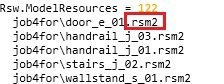
While doing some research...
I found that these files are only read by Clients 2020 +..
My server is 2019/09 and I definitely can't transfer my server to a client 2020+, due to the extreme amount of errors in the process...
Anyone, could tell me if there is a way to make these RSW2 files become RSW1 and work on conventional clients?
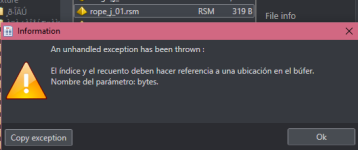
Note: Browedit cannot read these maps due to the same reason ...
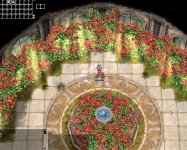
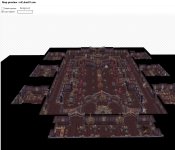
The only way to open these maps was: remove all the Models in Grf Tool - Flat Map... ->
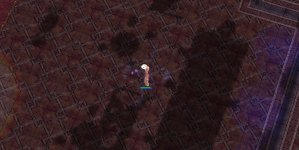
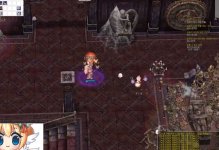
The real Map on KRO ->
The Map Preview om GRF Editor->
Recently, maps nif_dun01 and nif_dun02 have been added to the KRO.
and I was particularly in love with them, because I really like the Nifheim theme...
When trying to add the these maps, I always encounter a Textures / Models error and right after this i receive one Gravity Error.
so I went to find the solution to this problem and try to solve it in all ways ...
I encountered the following problem: all Model files that are used on these maps have the RSM2 extension...
While doing some research...
I found that these files are only read by Clients 2020 +..
My server is 2019/09 and I definitely can't transfer my server to a client 2020+, due to the extreme amount of errors in the process...
Anyone, could tell me if there is a way to make these RSW2 files become RSW1 and work on conventional clients?
Note: Browedit cannot read these maps due to the same reason ...
The only way to open these maps was: remove all the Models in Grf Tool - Flat Map... ->
The real Map on KRO ->
The Map Preview om GRF Editor->
Last edited by a moderator: