
You are using an out of date browser. It may not display this or other websites correctly.
You should upgrade or use an alternative browser.
You should upgrade or use an alternative browser.
Maya to 3Ds max to Granny (I cant make the Animation to work)
- Thread starter karazu
- Start date
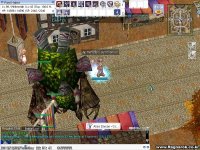
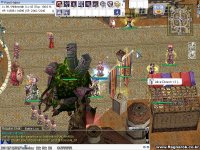


Thanks for the head sup. my only problem is the fbx file should have the animations already, but when the 3ds max got it the animation is gone.
Also I cannot edit or put animation on a model in 3ds max 2007.
The Bones are kind of Invisible..
Also I cannot edit or put animation on a model in 3ds max 2007.
The Bones are kind of Invisible..
Last edited by a moderator:

At the time you export your FBX you have to enable the -animations- option; ah and btw, WoW animated models have bugs in their animation at the end frame that you must fix manually.
Also, please post in the proper forums. The showcase forum is not the place to ask for support.
Also, please post in the proper forums. The showcase forum is not the place to ask for support.
Last edited by a moderator:
Last edited by a moderator:
"Not working" means nothing, you have to specify what is your issue exactly. I always have said that people should begin with more easier things before trying the complex things; however, in any case if your animation is not showing up, is probably cause:
There are a lot, but a lot of more issues that can happen. Personally, everytime I try Granny, I find a pair of new things to consider at the time I add an animation in game. Once I feel I've enough material I've investigated or tested I'll do another tutorial.
- 1 - if it is a custom mob id, the stand animation should be named as [index]_stand.gr2.
- 2 - The bones should be grouped and named equaly to the name of the group that carries all the mesh data as the base gr2 file. Otherwise the animation will not work.
There are a lot, but a lot of more issues that can happen. Personally, everytime I try Granny, I find a pair of new things to consider at the time I add an animation in game. Once I feel I've enough material I've investigated or tested I'll do another tutorial.
Last edited by a moderator:

