Nemo patcher

Hi guys,

I really have no idea or maybe it's a bug with VIEW ID. Im hexed client with 2017-06-14bRagexeRE but there is no luck to make it work,

I only managed to add custom item with max viewid 2584 only. Im pretty sure i changed max view id during patch, tried 5000, 3000, 20000, 3200 but no luck. Once it exceed 2584 value all headgear wont show if equipped. Lower then that it's fine.

please help @Functor @San @4144

 
i'm getting http error 404 when trying to download any client, i've download ones before but idk why i'm getting this error now or how to solve it.

image.png

 
i just checked and download works fine

probably you using outdated downloaders? try download from site script again and run it.

and i see python console. you copy pasted script to it? It will NOT works.

try follow one of method from nemo site.

 
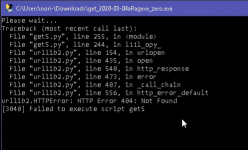
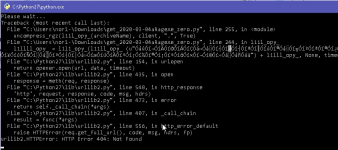
The first thing i've tried to do is using one of the methods on the site, but is shows the same error and then it closes automatically (that's why i've opened the console to see the error). I'm trying to get a print of the error but it closes way faster than i can print it, i'll try anyway...

#EDIT: Got it!

image.png
image.png

 
Last edited by a moderator:
before termination script show message "press any key..." and it not auto closed

but if you for some reason pressing keys, press win+r, type cmd and run. inside you can run script and it will be not closed.

you sure you using latest script? Old script will fail with 404 for very new clients, but latest scripts will works fine.

 
I've download them today and i editted the other post with prints trying method 1 and 2 (since i use windows). And i wasn't pressing any key, it really closes REALLY FAST when it shows the error, I've used windows game bar to capture a video and then use it to get those prints lmao

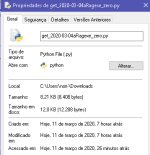
image.png

#Translation#
Created in: Today, 03/11/2020, 7 hours ago
Modified in: Today, 03/11/2020, 7 hours ago
Accessed in: Today, 03/11/2020, 26 minutes ago

 
Last edited by a moderator:
can you show output of commands?
 

Code:
ping gnjoy.com

ping ropatch.gnjoy.com

 
can you show output of commands?
 

ping gnjoy.com

ping ropatch.gnjoy.com

Code:
ping gnjoy.com

ping ropatch.gnjoy.com
That really helped me. Because I couldn't ping those two I've used a VPN (Pingzapper in my case) on the 1st method and it worked. If someone is or will have the same problem (try to ping first), that's how I solve it in my case.

 
you probably mean downloader scripts?

this is because bad antivirus. try report to microsoft about false positives. or use python scripts for download exes (method 2, 3 etc)

 
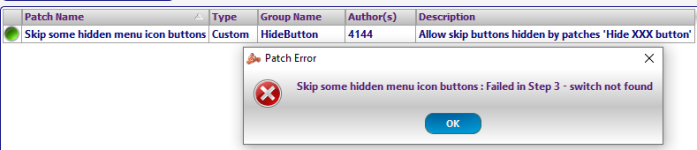
Nice to see NEMO project is forked and being modified for the better... Anyways, is there way to output the log the patches that failed and the step that failed the specific patch? First time using this forked NEMO by patching a 20190530a ragexe client with only recommended patches but somehow 5-7 patches failed which I don't know what step and what patches failed.

 
According to :
http://nemo.herc.ws/patches/ChangeMvpHealthBarSize/

2018-11-21b is compatible with this patch.

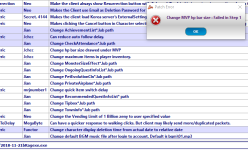
But when i click it in NEMO patcher i get [Failed in Step1] error message.
Could this be fixed? I would really like to have MVPs to have a bigger HP bar and this feature IS NOT enabled by default when i tested it.

nichwichtig2.png

nic hwichtig.png

EDIT : Apparently i was running an outdated version of NEMO, the patch works now on the latest master release :)

 
Last edited by a moderator:
Back
Top