Ragnarok Offline Newbie Pack 2022 | Make your RO server in less then 5 minutes

If you wanted to run the official iRO server offline, would you just download the game and cut+paste the data.grf and other files and folders into your RO folder?

 
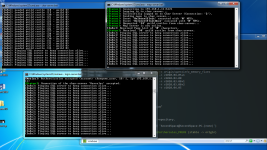
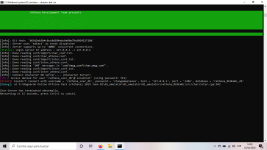
hello i got stuck in here, i follow everything in the video.  i rest it 1-2hrs still pinging.. 

thank you

image.pnghello i got stuck 

 
is it possible pre-re turn into classic like Episode 1 using this emulator and client

 
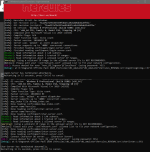
hi guys how can i fix this error? View attachment 5941?
Hi there

Seems like the username/password used for your database is wrong.

1. Check \conf\import\sql_connection.conf  and \conf\import\sql_connection_log.conf (these are the login data the server uses to communicate with your sql-database)

2. Go to your database and check the users (check if the names are right, change passwords to match the ones in the .conf-files etc.) - NOT the users in the `login` table

3. Check if those users have permission to access the databases/tables

4. Try again

Have a good one and please report back if it works

 
Last edited by a moderator:
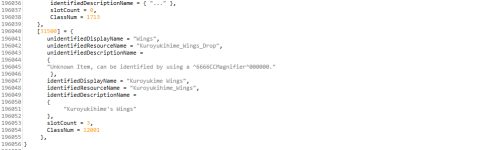
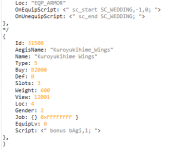
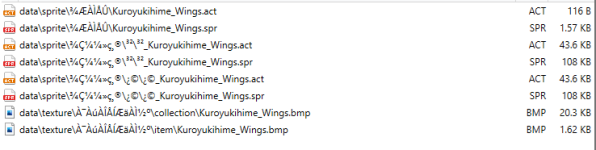
Hi guys im trying to add a custom item to the game but the sprite when equiped isn't showing up. Im using the make a ragnarok server in 5 minutes tutorial.

I had another problem where the wings becomes a etc item so it won't go into the equip tab.

Here is what i attempted so far

File Structure

image.png

iteminfo.lua

image.png

accessoryid.lub

image.png

accname.lub

image.png

item_db2

image.png

Really appreciate any help i can get thanks!

 
Hi people, just recently downloaded the pack and found an issue with the Server Database Editor that comes with the pack. It doesn't seem to be compatible with the database at all since it errors horribly with almost every single file in the database. Is anyone else having the same issues, or is there a work around?

 
Server Database Editor is outdated and cant be used

 
Issue Solved: It was map-server.conf map_ip and char-server.conf char_ip

Hi. I'm having issue opening the server outside my LAN.

Inside LAN no problem connecting.

Outside LAN, able to login and see the server, but failed to connect when going to character server.

Ports 6900, 5121 and 6121 is open on portchecker website.

Also there any updated guide to do

-Packet Obfuscation with Custom Keys

-MD5

-SecureGRF

 
Last edited by a moderator:
Back
Top