@showdrop

Zero Human

New member
Messages
66
Points
0
Location
Germany, Schleswig-Holstein
Emulator
Client Version
2019-06-26bRagexeRE
Hey,
can anyone make a plugin/atcommand to announce to the player and his group if found an item with 1% drop chance?
I know it gives the flag as announce, but this is global. I just want to announce to the player and his group.

Thanks in Advance.

 
Hi.

When saying "group", you mean party?

~Kenpachi

 
Yes. Sorry.
If you are solo and you found an item with 1% or below,
announcement will be shown like:
You found a Poring Card [dropchance]

If you are in a Party and someone found an item with 1% or below,

announcement will be shown like:

Playername found a Poring Card [dropchance]

 
If you are in a Party and someone found an item with 1% or below,

announcement will be shown like:

Playername found a Poring Card [dropchance]
The "someone" is confusing me.

This is how I understand your description:

-> Player A, B and C are in the same party.

-> Player A uses @showdrop.
-> Player A, B or C loots an item with a drop chance of 1% or below.

-> Show message to player A, B and C.

I don't think this is a good idea, since player A affects the gameplay of player B and C even if they don't want it. Even worse: They won't know about @showdrop being enabled until the first drop message is shown.

If I misunderstood your description, please correct me.

~Kenpachi

 
This is how I understand your description:

-> Player A, B and C are in the same party.

-> Player A uses @showdrop.
-> Player A, B or C loots an item with a drop chance of 1% or below.

-> Show message to player A, B and C.
Almost right.

-> Player A, B and C are in the same party.

-> Player A uses @showdrop.

-> If player B found an item with 1% drop Chance or below
-> Show message to player A and C ("Player B found a rare item. [Itemname]")
-> Show message to player B ("You have found a rare item [Itemname]")


I don't think this is a good idea, since player A affects the gameplay of player B and C even if they don't want it
I played on a server where this function was available and it never bothered anyone that it was displayed.
But yes, could you insert a check that others will only see it if they have @showdrop set?
You're right, it's good to have it if players don't want it displayed.

 
Hi.

Unfortunately I were not able to create a plugin, because I couldn't hook at all required spots.

But if you want to, you can use this patch: View attachment showdrop.patch

Just tell me if something doesn't work as intended or needs modification.

~Kenpachi

 
Thanks for your time and work.
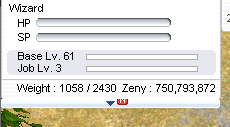
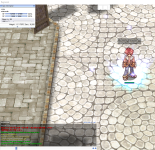
Unfortunately something seems to be wrong with the changes.
The character can no longer be moved and the HP/SP bar is empty.

The server shows no error messages when compiling.

2.PNG1.PNG

 
I guess you applied the changes manually and accidentally broke something.

I used a untouched copy of Hercules and applied the patch file with TortoiseGit. -> No issue.
showdrop.png

~Kenpachi

 
Yeah, it's working fine now. Thank you very much.

I have one wish left for this, can you add that a sound is played when you have @showdrop on and find an item?

EDIT: I figured it out myself. 

 
Last edited by a moderator:
Just in case someone else wants to know how to add the sound...

Add (for the character who obtained the item):

clif->soundeffect(sd, &sd->bl, "sound_file_name.wav", 0);


Below this line:

clif->message(sd->fd, output);


Add (for party members):

clif->soundeffect(p_sd, &p_sd->bl, "sound_file_name.wav", 0);


Below this line:

clif->message(p_sd->fd, output);


The sound file is read from data\wav folder, must be in the PCM format, and the file name should have a maximum length of 23 characters including the ".wav" extension.

~Kenpachi

 
Just in case someone else wants to know how to add the sound...

Add (for the character who obtained the item):

clif->soundeffect(sd, &sd->bl, "sound_file_name.wav", 0);

clif->soundeffect(sd, &sd->bl, "sound_file_name.wav", 0);


Below this line:

clif->message(sd->fd, output);

clif->message(sd->fd, output);


Add (for party members):

clif->soundeffect(p_sd, &p_sd->bl, "sound_file_name.wav", 0);

clif->soundeffect(p_sd, &p_sd->bl, "sound_file_name.wav", 0);


Below this line:

clif->message(p_sd->fd, output);

clif->message(p_sd->fd, output);


The sound file is read from data\wav folder, must be in the PCM format, and the file name should have a maximum length of 23 characters including the ".wav" extension.

~Kenpachi


You're Right. I'm sorry.
I'll think about posting it next time. Just thought I'd let you know you don't have to help.

 
Back
Top