wabbuwabbu
New member
- Messages
- 20
- Points
- 0
Hello,
I'm currently trying to add a @pk plugin to my server.
I'm following this guide to add plugins made for linux: http://herc.ws/wiki/Building_HPM_Plugin_for_gcc
Let me run you through what I have done:
1st I went to my folder "Hercules/conf/" used nano to open plugins.conf and edited and added the following:
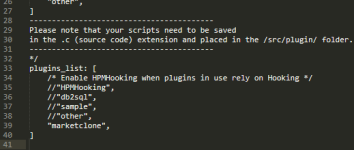
plugins_list: [
/* Enable HPMHooking when plugins in use rely on Hooking */
"HPMHooking",
//"db2sql",
//"sample",
//"other",
"@pk",
]
2nd step was to go to "Hercules/src/plugins/" used nano to create @pk.c and add this code: https://github.com/dastgirp/HPM-Plugins/blob/master/src/plugins/%40pk.c
The only thing I modified from the @pk.c code was the delay timer:
int config_delay = 5; // After turn pk on/off, how many seconds delay before the player allow to pk on/off ?
I changed it to 60 seconds:
int config_delay = 60; // After turn pk on/off, how many seconds delay before the player allow to pk on/off ?
I'm not exactly sure if I should do any other modification apart from this one.
Right after this I started the server and the moment it started this error appeared:
[Status]: HPM: Loaded plugin 'HPMHooking' (0.2) built with HPMHooking support.
[Status]: HPM: Loaded plugin 'HPMHooking' (0.2) built with HPMHooking support.
[Fatal Error]: HPM lugin_load: failed to load 'plugins/@pk.so' (error: plugins/@pk.so: cannot open shared object file: No such file or directory)!
[Fatal Error]: HPMlugin_load: failed to load 'plugins/@pk.so' (error: plugins/@pk.so: cannot open shared object file: No such file or directory)!
[Status]: HPM: Loaded plugin 'HPMHooking' (0.2) built with HPMHooking support.
[Fatal Error]: HPMlugin_load: failed to load 'plugins/@pk.so' (error: plugins/@pk.so: cannot open shared object file: No such file or directory)!
So from what I understood from the fatal error message it says it can not find the "plugins/@pk.so" because theres not such file or directory.
So I procceded to create that file in the directory (Hercules/src/plugins/) I used nano to create "@pk.so" add added the code again https://github.com/dastgirp/HPM-Plugins/blob/master/src/plugins/%40pk.c
Set the delay timer to 60 and nothing else.
So now, my "Hercules/src/plugins/" folder is like this
/Hercules/src/plugins# ls
constdb2doc.c HPMHooking Makefile.in sample.c
db2sql.c HPMHooking.c mapcache.c script_mapquit.c
dbghelpplug.c HPMHooking.h @pk.c
generate-translations.c Makefile @pk.so
I proceeded to start the server again, to see what error message would show now this came showed up:
[Status]: HPM: Loaded plugin 'HPMHooking' (0.2) built with HPMHooking support.
[Fatal Error]: HPMlugin_load: failed to load 'plugins/@pk.so' (error: plugins/@pk.so: cannot open shared object file: No such file or directory)!
[Fatal Error]: HPMlugin_load: failed to load 'plugins/@pk.so' (error: plugins/@pk.so: cannot open shared object file: No such file or directory)!
[Info]: Server uses 'select' as event dispatcher
[Info]: Server supports up to '1024' concurrent connections.
[Status]: HPM: Loaded plugin 'HPMHooking' (0.2) built with HPMHooking support.
[Fatal Error]: HPMlugin_load: failed to load 'plugins/@pk.so' (error: plugins/@pk.so: cannot open shared object file: No such file or directory)!
It still says that there is not such file or directory.
I'm out of ideas so I ask for help.
Thank you for your time.
I'm currently trying to add a @pk plugin to my server.
I'm following this guide to add plugins made for linux: http://herc.ws/wiki/Building_HPM_Plugin_for_gcc
Let me run you through what I have done:
1st I went to my folder "Hercules/conf/" used nano to open plugins.conf and edited and added the following:
plugins_list: [
/* Enable HPMHooking when plugins in use rely on Hooking */
"HPMHooking",
//"db2sql",
//"sample",
//"other",
"@pk",
]
2nd step was to go to "Hercules/src/plugins/" used nano to create @pk.c and add this code: https://github.com/dastgirp/HPM-Plugins/blob/master/src/plugins/%40pk.c
The only thing I modified from the @pk.c code was the delay timer:
int config_delay = 5; // After turn pk on/off, how many seconds delay before the player allow to pk on/off ?
I changed it to 60 seconds:
int config_delay = 60; // After turn pk on/off, how many seconds delay before the player allow to pk on/off ?
I'm not exactly sure if I should do any other modification apart from this one.
Right after this I started the server and the moment it started this error appeared:
[Status]: HPM: Loaded plugin 'HPMHooking' (0.2) built with HPMHooking support.
[Status]: HPM: Loaded plugin 'HPMHooking' (0.2) built with HPMHooking support.
[Fatal Error]: HPM
lugin_load: failed to load 'plugins/@pk.so' (error: plugins/@pk.so: cannot open shared object file: No such file or directory)![Fatal Error]: HPM
lugin_load: failed to load 'plugins/@pk.so' (error: plugins/@pk.so: cannot open shared object file: No such file or directory)![Status]: HPM: Loaded plugin 'HPMHooking' (0.2) built with HPMHooking support.
[Fatal Error]: HPM
lugin_load: failed to load 'plugins/@pk.so' (error: plugins/@pk.so: cannot open shared object file: No such file or directory)!So from what I understood from the fatal error message it says it can not find the "plugins/@pk.so" because theres not such file or directory.
So I procceded to create that file in the directory (Hercules/src/plugins/) I used nano to create "@pk.so" add added the code again https://github.com/dastgirp/HPM-Plugins/blob/master/src/plugins/%40pk.c
Set the delay timer to 60 and nothing else.
So now, my "Hercules/src/plugins/" folder is like this
/Hercules/src/plugins# ls
constdb2doc.c HPMHooking Makefile.in sample.c
db2sql.c HPMHooking.c mapcache.c script_mapquit.c
dbghelpplug.c HPMHooking.h @pk.c
generate-translations.c Makefile @pk.so
I proceeded to start the server again, to see what error message would show now this came showed up:
[Status]: HPM: Loaded plugin 'HPMHooking' (0.2) built with HPMHooking support.
[Fatal Error]: HPM
lugin_load: failed to load 'plugins/@pk.so' (error: plugins/@pk.so: cannot open shared object file: No such file or directory)![Fatal Error]: HPM
lugin_load: failed to load 'plugins/@pk.so' (error: plugins/@pk.so: cannot open shared object file: No such file or directory)![Info]: Server uses 'select' as event dispatcher
[Info]: Server supports up to '1024' concurrent connections.
[Status]: HPM: Loaded plugin 'HPMHooking' (0.2) built with HPMHooking support.
[Fatal Error]: HPM
lugin_load: failed to load 'plugins/@pk.so' (error: plugins/@pk.so: cannot open shared object file: No such file or directory)!It still says that there is not such file or directory.
I'm out of ideas so I ask for help.
Thank you for your time.