Flux Control Panel for Hercules

Gepard

Community Contributors
Messages
91
Points
0
Age
42
Location
Paris, France
Github
piotrhalaczkiewicz
Emulator
Flux Control Panel for Hercules

Flux CP is now officialy available for Hercules!

It is fully working with both pre-Renewal and Renewal Hercules servers. We will continue developing it, so it is always up-to-date and compatible with latest Hercules.

New theme

Hercules' Flux CP comes with a brand new theme. It's a grey-ish modern and clean HTML5 theme, called Emphaino.

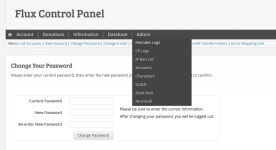
It has a nice dropdown menu located on top of the screen, and a customizable footer area, where you can put some stuff that should be visible all the time (like links to social media, forums etc.).

A picture is worth a thousand words:
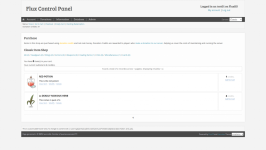
FireShot Screen Capture #001 - 'Item Shop » Flux Control Panel' - localhost_FluxCP__module=pur...png

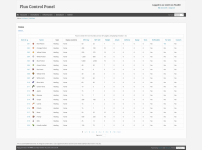
FireShot Screen Capture #002 - 'List Items » Flux Control Panel' - localhost_FluxCP__module=item.png

2013-08-06_172446.png

It's a HTML5 theme, so it requires a decent browser, or IE9+ (if you insist on using that).

Theme selection

Having two themes is great, but until now it was impossible to make use of them both. That's why theme selector has been added to both themes, so your users can pick whichever theme they like more.

Again, preview:
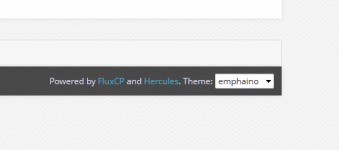
2013-08-06_165316.png

Extra credits


Download

Hercules' FluxCP Github repository: https://github.com/HerculesWS/FluxCP

Issues

Bug reports, questions and suggestions are all welcome directly on GitHub: https://github.com/HerculesWS/FluxCP/issues

Enjoy~

 
And of course, as with Github, members of the community are able to create Pull Requests for this Repo and the staff is able to overlook such Requests to see if their suitable to be placed into the Repo !

 
awesome
default_biggrin.png

thx for this

 
Nice one

EDIT

Warning: array_key_exists() expects parameter 2 to be array, string given in /home/lumin/www/cpanel/lib/Flux/Config.php on line 113
Got this when try to install it -.-
It's already been fixed. Thank you for your report.

Will pre-existing themes work with this release?
The only pre-existing theme that was supplied with previous versions of FluxCP was 'default' theme. And it of course is also included in Hercules FluxCP and works as usual.

If you want to use a custom-made theme, it should work without major problems. Compared to most recent revision of fluxcp-ra, the only updated module is item database, so you might need to make appropriate changes in this part of your theme. Other than that, it will be also missing theme selector (only relevant if you want to use other themes as well). You can copy appropriate snippets of code from default theme. I will also post detailed explanation how to do this soon.

If you have any custom modules (like for example, additional ranking) and want to make them available with new emphaino theme, they should work without problems as well, since most pages are 99% identical with default theme, it's all css magic. So just copy missing views into themes/emphaino (or addons/youraddon/themes/emphaino) and they should become visible in new theme as well.

 
Last edited by a moderator:
`item_db2` table has the same name in pre-RE and RE setups, but different layout. If your Hercules server is using pre-RE configuration, you need to import `item_db.sql` and `item_db2.sql` from `sql-files`. If it's Renewal server, import `item_db_re.sql` and `item_db2_re.sql`.

If you modified `config/servers.php` and changed from 'Renewal' => true to false, you need to re-import `item_db2.sql` script, so table `item_db2` has the pre-RE layout.

Currently it's impossible to have both pre-RE and RE item tables in the same database.

 
Last edited by a moderator:
`item_db2` table has the same name in pre-RE and RE setups, but different layout. If your Hercules server is using pre-RE configuration, you need to import `item_db.sql` and `item_db2.sql` from `sql-files`. If it's Renewal server, import `item_db_re.sql` and `item_db2_re.sql`.

If you modified `config/servers.php` and changed from 'Renewal' => true to false, you need to re-import `item_db2.sql` script, so table `item_db2` has the pre-RE layout.

Currently it's impossible to have both pre-RE and RE item tables in the same database.
oh i see.

 
Am I alone to see this post as an advertising : "Hercules recommend you to use FluxCP, the best CP ever, for your website, and you will get cookies <3 !".

In my opinion it would be better to create your own CP, or at least, create repositories for others CP (maybe it's planned ?), currently it's a little unfair competition, forcing users to switch to FluxCP when there are some other alternatives (not so good alternatives yeah I know...).

Just my two cents.

PS: Yes I wrote this post just because I don't love FluxCP lol

 
Am I alone to see this post as an advertising : "Hercules recommend you to use FluxCP, the best CP ever, for your website, and you will get cookies <3 !".

In my opinion it would be better to create your own CP, or at least, create repositories for others CP (maybe it's planned ?), currently it's a little unfair competition, forcing users to switch to FluxCP when there are some other alternatives (not so good alternatives yeah I know...).

Just my two cents.

PS: Yes I wrote this post just because I don't love FluxCP lol
in that case i'd recommend you go visit your eye doctor, because that has not been said here.We saw many of our users struggling with their fluxcp installations and, since the fluxcp repos have failed to help them, we decided to step in and fork to help these users ourselves. and that is all there is to it. I myself like ceres better, but our users were struggling with flux and not ceres, so we're forking flux to help these users.

 
Last edited by a moderator:
Back
Top