Zarbony
New member
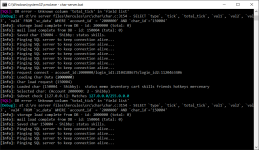
Why u use two users?
I can see herc_PRE_user and herc_PRE_loguser?
Just use 1 User for the whole SQL connection.
It seems like your passwort for the sql connection is wrong.

Why u use two users?
Dude before you asked use the Search button first.How to change exp/job exp/drop rate?thanks in advance
Thanks for the responce. Okay, i get it now. But theres another problem.Why u use two users?
I can see herc_PRE_user and herc_PRE_loguser?
Just use 1 User for the whole SQL connection.
It seems like your passwort for the sql connection is wrong.
Can u share on how did you do it. I don't know how to make it work.@anacondaq well sir can you help me fix the asura strike on your pre renewal emulator? its not working, i try to ask on the forum but well just like your topic here "Newbie" we really dont understand coding i try to read and watch video but i really dont understand
trying to watch the tutorial on the video but its still not working
View attachment 5736
EDIT: DONE!!!!!!!!!!!!!!! YEAH!!!!!

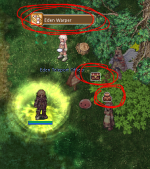
Can u share on how did you do it. I don't know how to make it work.
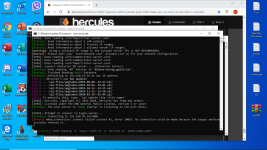
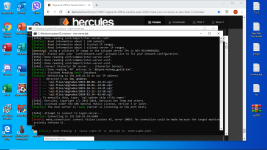 @anacondaq can u tell me what is the problem here? hmm i was just playing but after i logout i cant connect again.. TIA... btw. im a total newbie here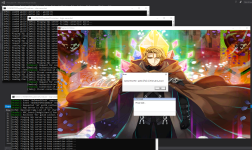
double check your Char-server.conf@anacondaq good day.. can u tell me what is the problem here?
View attachment 5845
View attachment 5846@anacondaq can u tell me what is the problem here? hmm i was just playing but after i logout i cant connect again.. TIA... btw. im a total newbie here
Hi All,
Thank you for sharing this tutorial and the files.
I was able to compile the solution in Visual Studio 2015.
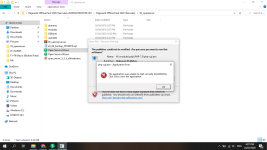
However when I tried to login in the client, I am getting this error.
View attachment 5854
I have no idea how to fix this and what is the cause of this error.
Please help me.
THank you in advance.
no, I did not use these commands.did you just @changejob or @changehairstyle?
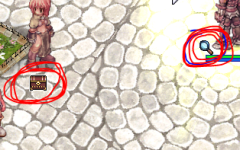
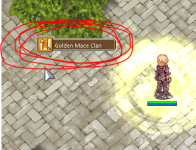
you are missing cloth sprite or hair sprite.
5. Download latest KRO Client and client translation files
Step 5a. Download latest KRO from
http://herc.ws/board/topic/15592-collection-official-full-clients-latest-kro/
https://rathena.org/board/topic/106413-kro-full-client-2018-08-13-includes-bgm-rsu/ <-- I pick this
// ========== THIS PART IS CONTROVERSIAL ===== BUT IT WORKS FOR ME ========
Step 5b. Create another 2 folders
let's name it Asheraf and zackdreaver ... the author of making client translation
https://github.com/AnnieRuru/customs/blob/master/server setup/Step 5b.png
then download their translation files by git clone them
https://github.com/Asheraf/Translation
https://github.com/zackdreaver/ROenglishRECode:https://github.com/Asheraf/Translation
Code:https://github.com/zackdreaver/ROenglishRE
Step 5c. Download GRF Editor
http://www.mediafire.com/file/aflylbhblrzpz0h/GRF+Editor+v1.8.2.7.zip <-- author forgot to update in that topic, mediafire link is latest one
Step 5d. Compile GRF Editor
https://github.com/AnnieRuru/customs/blob/master/server setup/Step 5d.png
double click GRFEditor.sln
Step 5e. Open GRF Editor file
Navigate to the directory \GRF Editor Sources v1.8.2.7\GRF Editor\GRFEditor\bin\Release and open GRF Editor.exe
https://github.com/AnnieRuru/customs/blob/master/server setup/Step 5e.png
I also wondering why the author makes the execution files hide so deep inside
Step 5f. Drag the data folder from Asheraf client translation to new.grf
https://github.com/AnnieRuru/customs/blob/master/server setup/Step 5f.png
then save it as Asheraf.grf
https://github.com/AnnieRuru/customs/blob/master/server setup/Step 5f2.png
Step 5g. Repeat the process for zackdreaver translation
Close Grf. New -> Grf, Drag the data folder from zackdreaver/Ragnarok/data to new.grf, then save it as zackdreaver.grf
Now you have learn how to pack your own grf. You should have 2 new grf in client folder
Step 5h. open data.ini in your ragnarok client and edit DATA.INI
https://github.com/AnnieRuru/customs/blob/master/server setup/Step 5h.png
[Data]
1=Asheraf.grf
2=zackdreaver.grf
3=rdata.grf
4=data.grf
Code:[Data] 1=Asheraf.grf 2=zackdreaver.grf 3=rdata.grf 4=data.grf
Step 5i. Replace Asheraf/system folder into client/system folder
https://github.com/AnnieRuru/customs/blob/master/server setup/Step 5i.png
// ========== CONTROVERSIAL PART ENDS HERE ===== I'm sure many client experts having your doubts why I do like this ========
A lot of problems can appear in this step, these problems also recent and changes with every client
I have same problem..you fix it?everytime i cast a 3rd job skill this message will popup in my windows
i'm using windows 10 64bits
i don't know which problems i have
/sob
GetSkillAttackRange
[string "buf"]:262: attempt to index field 'AttackRange' (a nil value)
and my doram class , kagerou doesn't have icon for it's skills
and i don't know how to fix it.
you fix it?everytime i cast a 3rd job skill this message will popup in my windows
i'm using windows 10 64bits
i don't know which problems i have
/sob
GetSkillAttackRange
[string "buf"]:262: attempt to index field 'AttackRange' (a nil value)
and my doram class , kagerou doesn't have icon for it's skills
and i don't know how to fix it.

Try to download latest KRO and Data English translate clean ^_^you fix it?
goto http://YourServerIP/phpmyadmin login your PHPMyAdmin user and pass...Hello, how do I create a New Gm Account?
Try to download latest KRO and Data English translate clean ^_^
goto http://YourServerIP/phpmyadmin login your PHPMyAdmin user and pass...
Then find the login in your database the select your account there then change the GROUP from 0 to 99 ^_^
We use essential cookies to make this site work, and optional cookies to enhance your experience.