
You are using an out of date browser. It may not display this or other websites correctly.
You should upgrade or use an alternative browser.
You should upgrade or use an alternative browser.


- Messages
- 1,191
- Points
- 83
- Discord
- 4144
- IRC Nickname
- _41444d494e_
- Github
- 4144
- Emulator
- Client Version
- latest
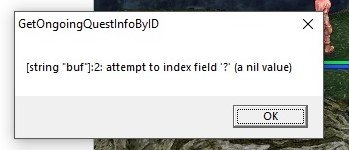
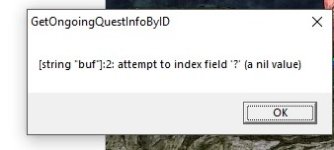
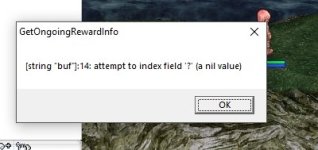
this is not related to nemo. You have wrong lua files for your exe.
for each exe version you must use lua and other files for exact same version. older or newer files may not works
for each exe version you must use lua and other files for exact same version. older or newer files may not works
- Messages
- 1,191
- Points
- 83
- Discord
- 4144
- IRC Nickname
- _41444d494e_
- Github
- 4144
- Emulator
- Client Version
- latest
Fixed patch "Always Use Email for Char Deletion"
New patches:
"Change new char name field height" - in char creation dialog in some lang types char name can be too big in height and partially ivisible. this patch allow change input field height
"Remove wrong chars from cash shop" - this patch allow remove random wrong chars in cash shop window
New patches:
"Change new char name field height" - in char creation dialog in some lang types char name can be too big in height and partially ivisible. this patch allow change input field height
"Remove wrong chars from cash shop" - this patch allow remove random wrong chars in cash shop window
- Messages
- 1,191
- Points
- 83
- Discord
- 4144
- IRC Nickname
- _41444d494e_
- Github
- 4144
- Emulator
- Client Version
- latest
New patches
"Change minimal screen resolution limit" - for change default minimal screen size 1027x768
"Allow leader to leave party if no members on map" - for remove some restrictions from party leader
"Change minimal screen resolution limit" - for change default minimal screen size 1027x768
"Allow leader to leave party if no members on map" - for remove some restrictions from party leader

Axl
New member
- Messages
- 24
- Points
- 0
Can possible to remove Doran Creation in 2018 Clients? Only a question.New patches
"Change minimal screen resolution limit" - for change default minimal screen size 1027x768
"Allow leader to leave party if no members on map" - for remove some restrictions from party leader
Axl
New member
- Messages
- 24
- Points
- 0
Thanks bro!see extrarnal_settings lua file. it have option for disable doram
@4144
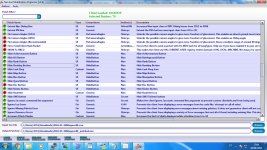
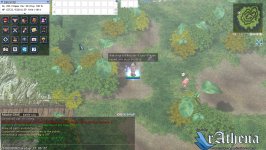
I set remove the most of buttons, but all still can available. See images.
#Ignore the rAthena Logo please, my server is Hercules, only for data folder.
Last edited by a moderator:


Relzz
Int'l Spanish Moderators
Hello I know this is kind of a weird question but can you do something with the Head Sprite can only be rendered like 7 times? I don't know if its possible but I see you're doing some complicated things and if EnableCustom3DBones was made I think this should be possible too maybe??
The thing is that Head sprites can not be modified to contain more than 7Frames or else the headgear starts flickering... UNLESS you remake ALL the headgears to contain the same amount of frames as your head sprite.. is there any workaround ? This is usefull to make higher FPS sprites like it just feels different but without remaking all the headgears or adding weight to them..
This is an example of what it looks like, this guy had to add 30 frames per possible headgear direction/position so its a lot of work to add 30 duplicates to every headgear in RO..
Its impossible to make animations, walking animations like that with 7 Frames xD
The thing is that Head sprites can not be modified to contain more than 7Frames or else the headgear starts flickering... UNLESS you remake ALL the headgears to contain the same amount of frames as your head sprite.. is there any workaround ? This is usefull to make higher FPS sprites like it just feels different but without remaking all the headgears or adding weight to them..
This is an example of what it looks like, this guy had to add 30 frames per possible headgear direction/position so its a lot of work to add 30 duplicates to every headgear in RO..
Its impossible to make animations, walking animations like that with 7 Frames xD
Last edited by a moderator:
- Messages
- 1,191
- Points
- 83
- Discord
- 4144
- IRC Nickname
- _41444d494e_
- Github
- 4144
- Emulator
- Client Version
- latest
not sure about head, but i saw 7 or 8 frames or sprites at total for player in 2018 clients.
you can show video with flickering head sprite? probably at first working and after if equip something showing with issue. i want to see this kind of video.
you can show video with flickering head sprite? probably at first working and after if equip something showing with issue. i want to see this kind of video.
Relzz
Int'l Spanish Moderators
Have you a configured server? You just need to be a female ranger and use this GRF, I can't test right now as I just formated my windows but I'll get everything back and show you a video if is not possible for you to setup this
View attachment tos.zip
Those are the "available" items or modified headgears in there.. its not encrypted also
View attachment tos.zip
Those are the "available" items or modified headgears in there.. its not encrypted also
1. Create ranger female character with Female head 1, palette 1
2. Equip Angel Wing Ears (ID 5074)
3. Add tos.grf in your DATA.INI
4. And run.
5. You can use some adapted headgears: Hat of the Sun God (5022), Feather Beret (5170), Cowboy Hat (5075), Big Ribbon (2244), Yellow Ribbon (5278).
Last edited by a moderator:


- Messages
- 589
- Points
- 0
- Github
- Rytech2
- Emulator
- 3CeAM
@M45T3R
My mind is blown by how nice this looks. But the sad truth is that their's multiple layers of sprites that have to all be anchored together and with the same number of frames like you said. Body, head, lower/mid/upper headgears, weapon, shield, and garment. While you wouldn't need to edit the SPR sprite file for them all, you would have to edit every ACT file to add in the info for anchor's and frame display data for each and every existing sprite for a character sprite for every direction on every action. Its a great task but there's no shortcuts around it.
Still nice to see this in action tho.Been quite some time since anything in this community impressed me.
My mind is blown by how nice this looks. But the sad truth is that their's multiple layers of sprites that have to all be anchored together and with the same number of frames like you said. Body, head, lower/mid/upper headgears, weapon, shield, and garment. While you wouldn't need to edit the SPR sprite file for them all, you would have to edit every ACT file to add in the info for anchor's and frame display data for each and every existing sprite for a character sprite for every direction on every action. Its a great task but there's no shortcuts around it.
Still nice to see this in action tho.Been quite some time since anything in this community impressed me.