Follow along with the video below to see how to install our site as a web app on your home screen.
Note: This feature may not be available in some browsers.
Due to recent spam attacks that heavily used compormised accounts we did reset all user passwords, AGAIN, if it happens and your account got compromised again due to re-used passwords your account will be perma-banned.
Added support for ActionType 4, Run As Client (suggested by @Guih). Allows to run different clients with custom buttons, such as RAG+SAK.
Added support for ActionType 5, Minimize (suggested by @rakuzas).
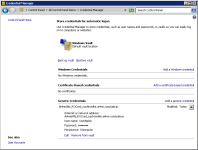
Added support for saving password in addition to the username (suggested by @Lady Raga). This works only on Windows NT 5.1 and newer (Credential Manager*). You have to configure ConfigID and CheckSavePassword settings to enable it.
Removed 'Replay' button. The custom buttons provide all functionality to replicate it.
* If you use the credential manager control panel (Windows Vista and newer) to change the password, the associated username will get lost, thus the credential will no longer be recognized. Also note, that the password is available to any application that requests it through the API.
I want to ask
I added a button
So how do I define a new X and Y?
And where does this button lead?

[ROCred.Buttons.CUSTOM1]
[ROCred.Buttons.C1]

C1 is the new button I defined