#socket error

yashin16

New member
Messages
16
Points
0
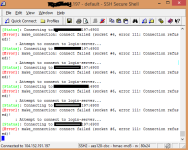
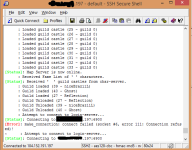
Guys! My server is running normal in offline mode but when i change it to my host ip and migrate him to my host, the server connects but get socket error .-. 

I got your Hercules-stable

I'm sending 3 pics, 1 running he server offline at my pc and 2 pics in my host .-. i did'nt changed the ports , only changed the 127.0.0.1 of char ip and map ip to my host ip.

with the old conf sql in my old hercules emulator , the host ip works fine.

Someone can help me? i have 60 ppl w8ting for this Ro .-.
screenHercules013.jpg

connection error.png

erro2.png

 
Last edited by a moderator:
Either Login server isn't running or port 6900 is used by another process. Try to run:

netstat -plnt | grep 6900


to check status of port 6900

 
KeiKun,


Nothing is running at port 6900, on my old Hercules conf  my server worked well.

"sql.db_hostname: 127.0.0.1
sql.db_port: 3306
sql.db_username: root
sql.db_password: 
sql.db_database: 
sql.codepage:


// MySQL Character SQL server
char_server_ip: 127.0.0.1
char_server_port: 3306
char_server_id: root
char_server_pw:
char_server_db: 


// MySQL Map SQL Server
map_server_ip: 127.0.0.1
map_server_port: 3306
map_server_id: root
map_server_pw: 
map_server_db: 


// MySQL Log SQL Database
log_db_ip: 127.0.0.1
log_db_port: 3306
log_db_id: root
log_db_pw: 
log_db_db: 
log_codepage:
log_login_db: loginlog"


I changed the same thing on the new configuration, only changing passwords, login, db name, and the main ip. 

i can send u the archives if u want to look .-. 

 
Last edited by a moderator:
3306 is sql port.

but default port for login server is 6900

for char 6121

for map 5121

If you changed them all to 3306, nothing will works.

 
Bro i didn't changed anything on the new conf, i just gaave an exemple of old configuration. That configuration doesn't work on the new conf.]

As i said, i didn't changed the port, i changed only char ,map and login ip to my host ip

 
Last edited by a moderator:
Her guys...

I put xxx on ip and some important information

Char-server.conf

        // Login Server IP
        // The character server connects to the login server using this IP address.
        // NOTE: This is useful when you are running behind a firewall or are on
        // a machine with multiple interfaces.
        login_ip: "xxx.xxx.xxx.197"

        // The character server listens on the interface with this IP address.
        // NOTE: This allows you to run multiple servers on multiple interfaces
        // while using the same ports for each server.
        //bind_ip: "127.0.0.1"

        // Login Server Port
        login_port: 6900

        // Character Server IP
        // The IP address which clients will use to connect.
        // Set this to what your server's public IP address is.
        char_ip: "xxx.xxx.xxx.197"

        // Character Server Port
        char_port: 6121
    }

Map-server.conf

        // The map server connects to the character server using this IP address.
        // NOTE: This is useful when you are running behind a firewall or are on
        // a machine with multiple interfaces.
        char_ip: "xxx.xxx.xxx.197"

        // The map server listens on the interface with this IP address.
        // NOTE: This allows you to run multiple servers on multiple interfaces
        // while using the same ports for each server.
        //bind_ip: "127.0.0.1"

        // Character Server Port
        char_port: 6121

        // Map Server IP
        // The IP address which clients will use to connect.
        // Set this to what your server's public IP address is.
        map_ip: "xxx.xxx.xxx.197"

        // Map Server Port
        map_port: 5121
    }
 

sql_connection archive

    // For IPs, ideally under linux, you want to use localhost instead of 127.0.0.1.
    // Under windows, you want to use 127.0.0.1.  If you see a message like
    // "Can't connect to local MySQL server through socket '/tmp/mysql.sock' (2)"
    // and you have localhost, switch it to 127.0.0.1
    db_hostname: "127.0.0.1"
    db_port: 3306
    db_username: "xxxx"
    db_password: "xxxx"
    db_database: "xxxx"
    //codepage:""
}

 
in your screenshots you should probably char and map servers. but not show login server.

probably it stopped or crashed?

 
First i got #5 socket error but the emulator continued to load, but in the end appeared that # 6 socket error

 
you not showed what happened with login server. and say nothing about it.

run 3 server each in own window and if it not work, show errors from each server

 
run 3 server? bro i told The emulator worked normal in  offline mode no errors, when I put it in my host and I change only the the char ip, ip map ip, and sql_conection to my infos, doesn't work, no errors only socket error. I did the same to work offline and worked lol. I did'nt changed any port. 

if u want i can send u the sql archives

 
What he meant is that you didn't show login server messages output

run 3 servers = run login-server ,char-server and map-server, each server in a different window

 
I don't need lol only if i run it in offline mode, and i said its normal in offline mode. Online mode u can't run thouse windows lol only using putty or ssh and they run the 3 server together lol not like cmd window

 
Back
Top