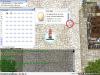
nasagnilac 1 Posted January 14, 2016 (edited) Please check the image thnx. Edited January 14, 2016 by gmblank Share this post Link to post Share on other sites
0 evilpuncker 504 Posted January 14, 2016 there is no image Share this post Link to post Share on other sites
0 nasagnilac 1 Posted January 14, 2016 there is no image Sorry, Check it again please. Share this post Link to post Share on other sites
0 evilpuncker 504 Posted January 14, 2016 I don't think you can unless you go back to a client that doesn't have it, or maybe try the trick of doing that image into a 1x1 pink pixel Share this post Link to post Share on other sites
0 Shourei 6 Posted January 15, 2016 I think the easiest way is to remove it visually. i.e it will still work, but you just can't see it. If i remember it correctly.. go to your grf then.. find: data / texture / À¯ÀúÀÎÅÍÆäÀ̽º / basic_interface / btn_comparison_resize data / texture / À¯ÀúÀÎÅÍÆäÀ̽º / basic_interface / btn_coparison_resize Replace it with the pink #ff00ff or any you desire. Share this post Link to post Share on other sites


Please check the image thnx.
Edited by gmblankShare this post
Link to post
Share on other sites