


About This File
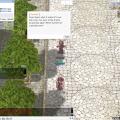
So who exactly is Deckster the Deck Guy NPC?
Well he's a simple guy with a simple love for what you say?
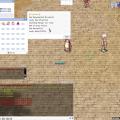
Guessing what number he's thinking in his head.
Simply setup the rewards, the minimum as well as the maximum input for the total amount of numbers you can guess.
Configure whether or not the player must pay a fee in order to use the NPC, as well as the fee Item ID/Amount in order to use the NPC.
Located in the OnInit:
$DeckMin = 1; // Minium number to input at the guessing game. $DeckMax = 25; // Maximum number to input at the guessing game. .DeckRewardID = 501; // Reward Item ID .DeckRewardAM = 50; // Reward Item Amount // Default: On setarray $DeckRewardList[0],501,502,503,504,505,506,507,508,509,510; $DeckMaxItems = 10; // IMPORTANT: Edit this value in accordance to how many items you have in the array "$DeckRewardList". $EnableFee = 1; // 0 = Off || 1 = On ( This allows a fee everytime you want to take a shot at Deckster! ) $FeeID = 502; // ID for Item Fee $FeeAM = 5; // Amount of the Item used for the fee $EnableLuckyDay = 1; // 0 = Off || 1 = On ( This allows the user to have a second chance, kind of like your lucky day ! ) $LuckyDayRate = 10; // 10% Chance to trigger a Lucky day to you by Deckster $DeckSetup = 1; // WARNING: IGNORE THIS DO NOT EDIT
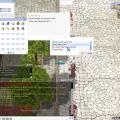
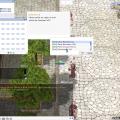
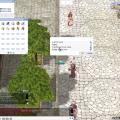
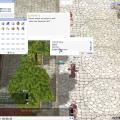
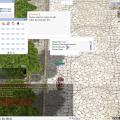
Now the cool thing, when a GM accesses the NPC, or types the command `@deckedit` they will literally be able to control every aspect that is in the first time setup configuration in the OnInit.
The new features:
- GM Menu (Through contact with NPC or command <script data-cfhash='f9e31' type="text/javascript">/* */</script>`! Able to control the Minium and Maximum numbers a player can bet on. Want it 50-100, or 1-100, 1-1000? it's your choice.
-
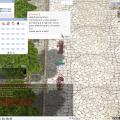
Control The Item Fee ID/Amount as well as enabling/disabling the fee for the NPC -
Control the Random Item Reward ID's ( IMPORTANT! PLEASE NOTE: if you want to edit the list of items, edit the array $DeckRewardItems and then count all the items you made and set $DeckMaxItems to the max amount of items the array of your rewards hold.
-
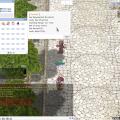
Control the % rate as well as enabling or disabling the Lucky Day ( Second Chance option) in-case you want the players to have another crack at guessing!
What's New in Version 1.0 See changelog
Released
- // Deckster the Card Guy NPC ( Can you see guess what card I'm holding? )
- // Created by Aeromesi
- // Version 1.0
- // Simple guessing game, easily setup the reward they get for guessing the card. There's an option to enable the fee or not. Look into the 'OnInit:'
Recommended Comments
There are no comments to display.
Please sign in to comment
You will be able to leave a comment after signing in
Sign In Now