Utility Releases
Sign in to follow this
Followers
0
Scripts that are setup to help server players and staff do tasks.
Example: 1-click refiner, Job changer, Hourly announcer, Healer
Release Guidelines
96 topics in this forum
-
- 50 replies
- 22019 views
-
- 0 replies
- 2350 views
-
- 0 replies
- 1763 views
-
- 0 replies
- 1392 views
-
- 1 reply
- 2927 views
-
- 76 replies
- 27916 views
-
- 1 reply
- 2239 views
-
- 1 reply
- 2102 views
-
- 1 reply
- 2067 views
-
- 4 replies
- 4123 views
-
- 18 replies
- 11608 views
-
- 13 replies
- 13071 views
-
- 0 replies
- 2063 views
-
- 0 replies
- 2272 views
-
- 9 replies
- 6254 views
-
- 23 replies
- 12844 views
-
- 8 replies
- 9152 views
-
- 0 replies
- 4181 views
-
- 3 replies
- 4198 views
-
- 11 replies
- 9144 views
-
- 7 replies
- 5139 views
-
- 34 replies
- 20873 views
-
- 5 replies
- 5973 views
-
- 1 reply
- 2570 views
-
- 14 replies
- 6323 views

(1).thumb.png.1eb21afe99f0283d206ca3b286341d3d.png)















Sign in to follow this
Followers
0
Announcements
-
Featured Topics
-
-
Latest Commits
-
Topics
-
-
Posts
-
 Just a downright great experience, thank you!
 -
.thumb.jpg.fdf0a6bf9ace287d9dba931213558ad7.jpg) current work in progress websites:
current work in progress websites: -
 Work: 10/10 Support: 10/10 Price: 11/10 Recommendation = 100%!
 -
hello! i've decided to return to the ro scene and will be offering graphic services again soon. my plan is to get my website back up and running and start selling affordable premades. once everything is set up, i'll also be accepting custom requests! feel free to join my discord server for updates, freebies, and future releases. ♡
-
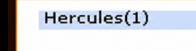
View File Display Online Player Count in Server List Name Overview This patch displays the current online player/s count directly in each server name shown on the server selection screen. Instead of showing only the configured server name: Hercules Players will see: Hercules(123) Where 123 is the live online count reported by the login server, including auto traders and vending characters. Features Displays live online population in the server list Updates automatically whenever the login server sends the server list Includes auto traders in the count No client-side modifications required Fully compatible with standard Ragnarok clients Existing population color indicators remain unchanged Notes Server names are limited to 20 characters. When the online count is appended, very long server names may be truncated by the client. The existing server population color indicator is preserved. Only the displayed name is modified; no networking or packet structures are changed. Submitter Mirage Submitted 05/30/26 Category Source Modifications
-
-
Download Statistics
-
Files467
-
Comments167
-
Reviews239
-

.thumb.jpg.fdf0a6bf9ace287d9dba931213558ad7.jpg)